136 - RedBoot Procedures DeviceMaster Installation and Configuration Guide: 2000594 Rev. F
RedBoot Procedures
Resetting the DeviceMaster
When you have completed your tasks in RedBoot, you must enter a reset command at the RedBoot> prompt for
the DeviceMaster to begin operation.
Note: The LEDs on the DeviceMaster will go through the power up sequence. The DeviceMaster has completed
its reset cycle when the PWR or Status LED is lit and it stops flashing.
Configuring Passwords
This section discusses how to configure a password for the web and telnet server.
Note: See the PortVision DX or SocketServer Help system for information about email notification.
Use the following procedure to establish the DeviceMaster password for the Web and telnet server.
Establishing a password prevents unauthorized changes to the DeviceMaster configuration.
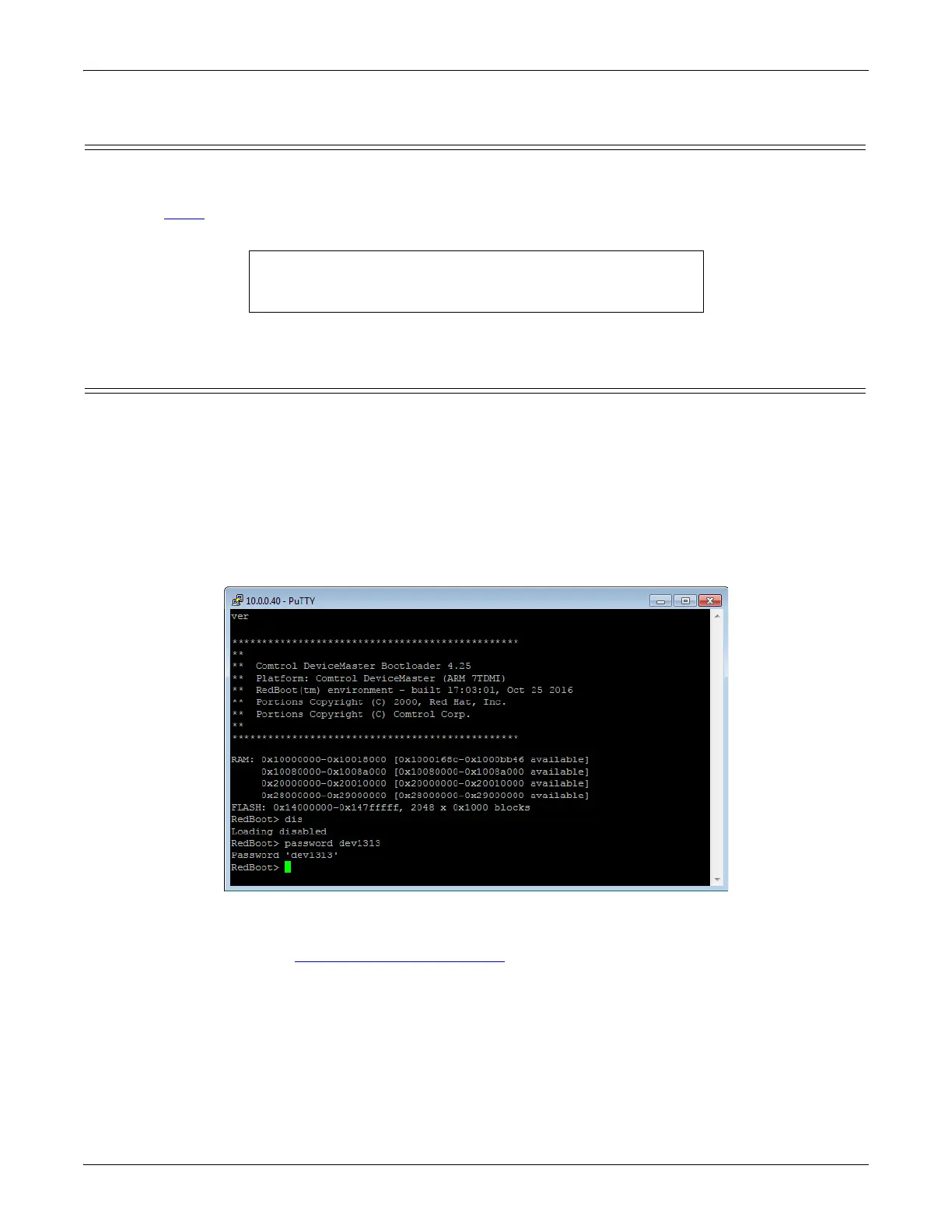
1. Establish communications with the DeviceMaster using the serial (Page 132) or telnet method (Page 133).
2. Type password [your_password] and press Enter.
Note: If you forget your password, you can reprogram the password using the serial method which
bypasses the password.
Note: The Bootloader version on your DeviceMaster may be different than the version displayed in this
graphic.
See the auth command in the RedBoot Command Overview on Page 137, if you want to set up Web browser
authentication.
RedBoot> dis
Loading disabled
RedBoot> reset



 To Next Page