(MT series remote control intelligent turntable manual)3
12 Shenzhen Comxim Technologies Co., Ltd. Copyright 2015
Figure 10 Continuous rotation mode
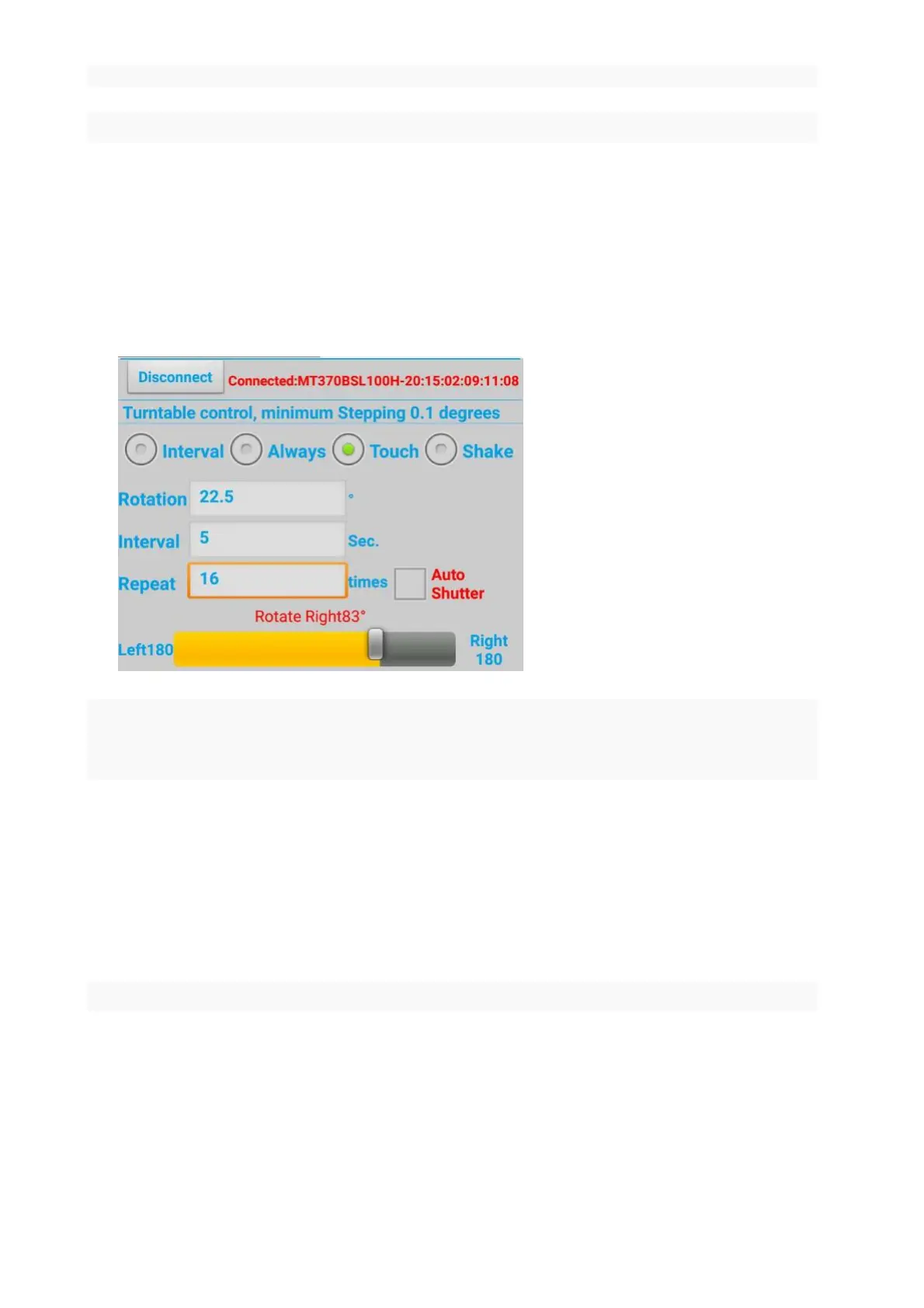
7.2.3 touch mode
As shown in Figure 11, switch to the touch mode (if the turntable is rotating in the other mode, the
turntable is on standby). Press the touch progress bar, and drag to the required position. If the turntable is
stopped, the turntable is rotated from the current position to the drag position. As shown in Figure 11,turn 83
degrees from the current position.
Figure 11 Touch mode to drag the scroll bar control turntable
7.2.4 gesture mode
As shown in Figure 12, gesture mode if the turntable is rotating in the other mode after the switch, the
turntable is on standby. In the rotation of the text box input to turn the angle, shake the phone to the left or to
the right. As shown in Figure 12,turn left or right turn 21 degrees from the current position.



 To Next Page