(MT series remote control intelligent turntable manual)3
18 Shenzhen Comxim Technologies Co., Ltd. Copyright 2015
1. Below the Windows 7 operating system, about the Bluetooth driver installation method. Operation steps are
as follows:
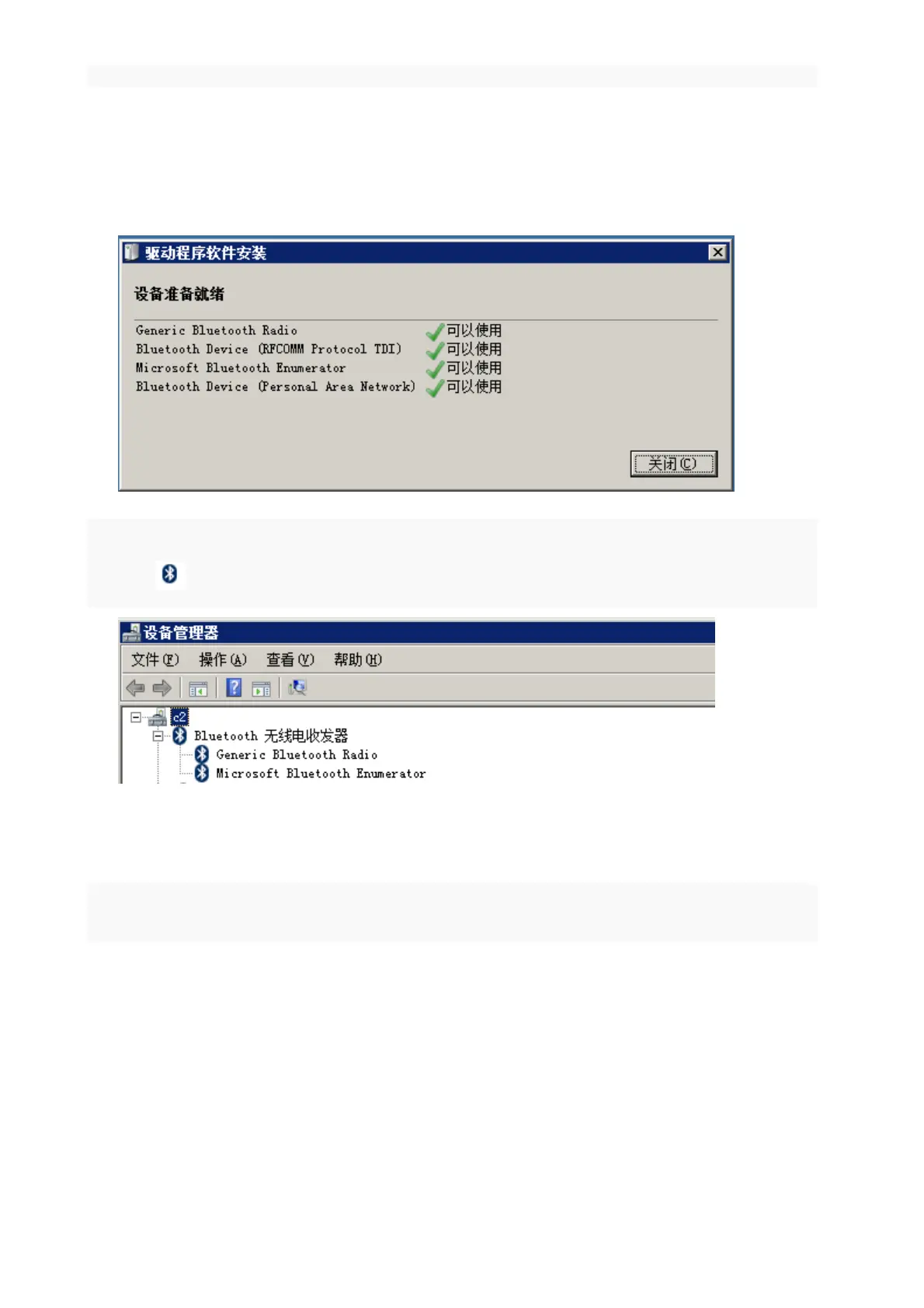
2. Insert the Bluetooth adapter into the USB PC interface, and a USB interface can be automatically completed
by the insertion system:
After the driver is installed,appears the Bluetooth logo in the lower right corner of the Windows
desktop ,It can also be confirmed by the device manager.
8.4.2 Add Bluetooth device
Turn on the turntable power switch,Open the Windows control panel, all control panel items, devices and
printers:



 To Next Page