(MT series remote control intelligent turntable manual)5
Shenzhen Comxim Technologies Co., Ltd. Copyright 2015 27
9. Q:When using infrared remote control, what is the time of the rotary table is suspended?
A:The infrared remote controller can only modify the rotation angle, repeat number, do not modify the
suspension time, so the turntable to suspend the time to keep the internal value of the turntable unchanged.
So what is the time value of the internal suspension of the turntable? Is divided into two cases:
1) Primary power: 4 seconds, (MTxxxL* series no software changes, always only this case).
2) App or PC software to modify the pause time, the modified value will be saved as a pause time.
10. Q: Andriond mobile phone App or PC software buttons are normal, but the infrared remote control
buttons turntable no response?
A: there are two cases:
1) 1) infrared remote control lock key had been set to lock state, again press the key to unlock.
2) 2) The PC Windows software lock button “ ” is locked, and Press this button again to
release the unlock
11. Q:Android what are the requirements?
A:Andriond 4 and above, support bluetooth.
12. Q: What language does the PC software and Android APP support?
A:Currently supports simplified Chinese, english.
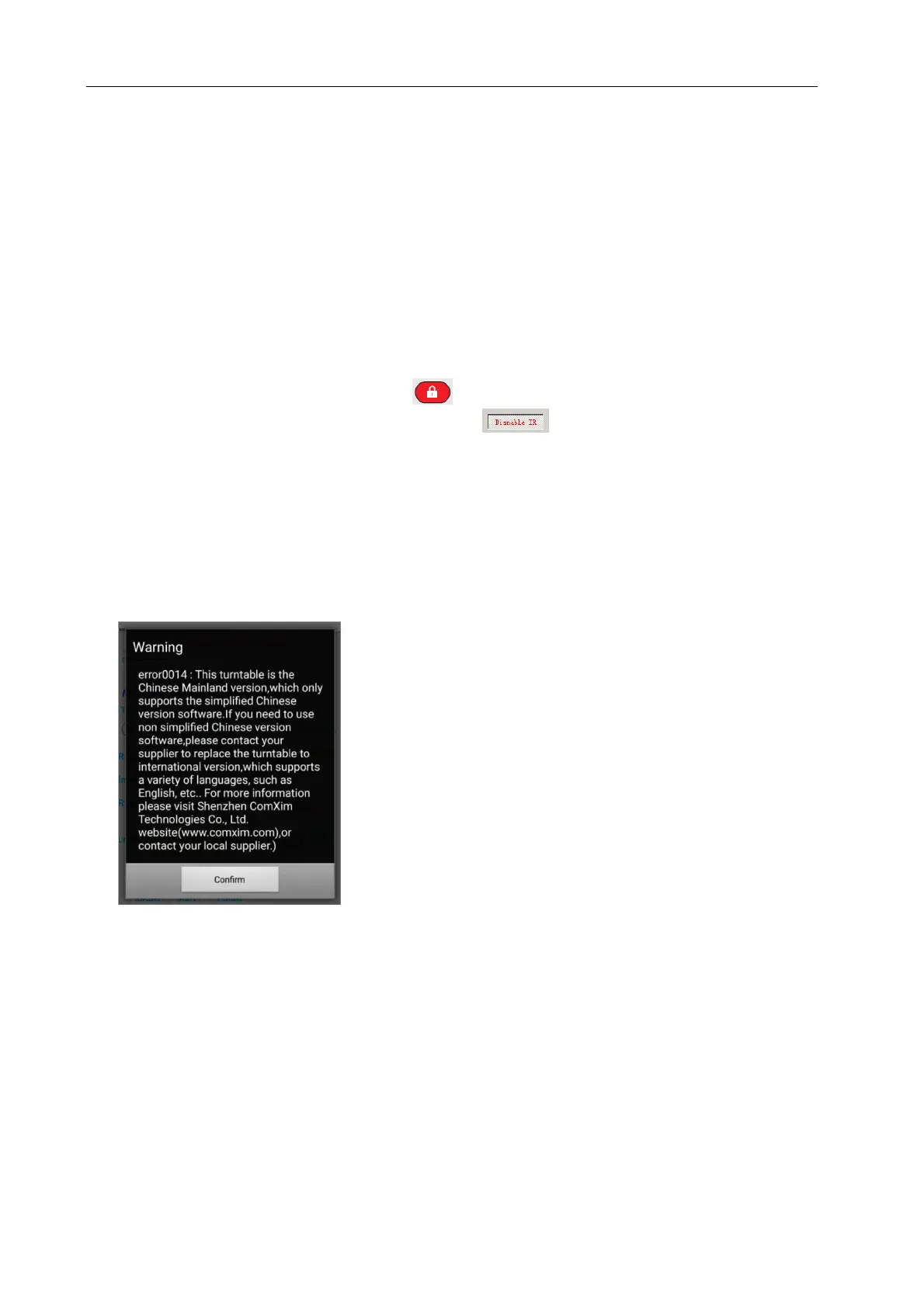
13. Q:What is the reason for the appearance of error0014?
A:This is because the turntable hardware version and software version does not match.
14. Q:MT370BSL series turntable took 96 photos, why less than 96 photos?
A:The reason is that some of the camera's slow reaction: 96 shots, turntable rotation time is very short,
the default interval waiting time is 4 seconds is also shorter, take a picture, the camera is still in a preview of a
picture of the state, did not immediately enter the next shot ready state. Such a turntable to send a shutter
signal camera will not take pictures. Two solutions: 1 set interval time 6 seconds. 2 or put the camera
preview off.
15. Q:When the software is connected to the turntable, the following error occurred, what is the reason?



 To Next Page