IP CAMERA QUICK START GUIDE
FINDING THE CAMERA’S IP ADDRESS
USING BONJOUR® IN MAC OS®.
NOTE: To use this method, the camera computer must be on the same
network. Bonjour® is enabled by default, and can be enabled/disabled
using NVMS (check the NVMS manual for details).
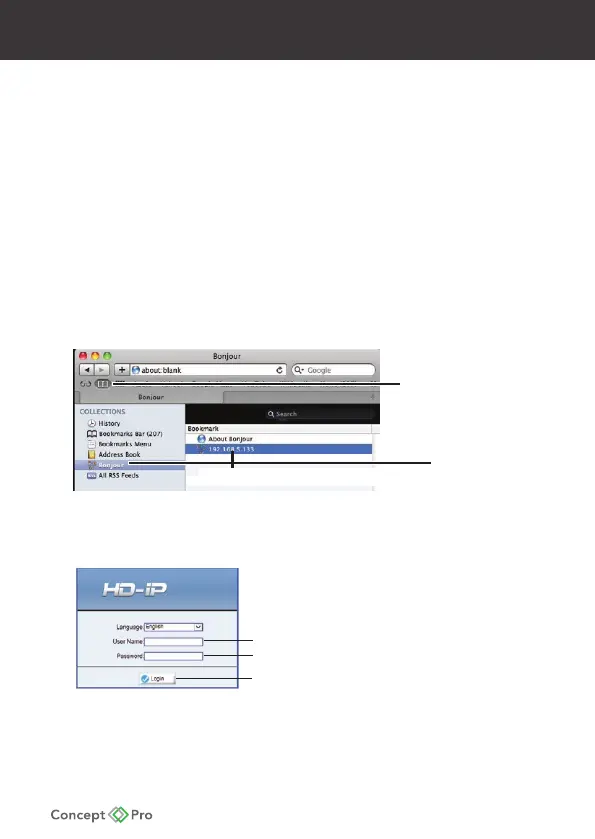
1. Open Safari® browser and click the Bookmarks button
2. Click Bonjour. The camera’s IP address appears in the Bonjour Devices list.
3. Double-click the camera to open it in Safari.
Bonjou
Double-click the camera’s IP address
Bookmarks
button
4. Under User Name and Password, enter the camera’s User Name
(default: admin) and Password (default: admin) and click Login.
Enter Camera User Name (default: admin
)Enter Camera Password (default: admin










 To Next Page