IP CAMERA QUICK START GUIDE
Mounting Template
X1
Fitting Screws
X4
X1
X1
Quick Start Guide
Terminal Blocks
X2
X1
RJ45 Coupler
Allen Key
X1
INSTALLATION
Installation Procedure
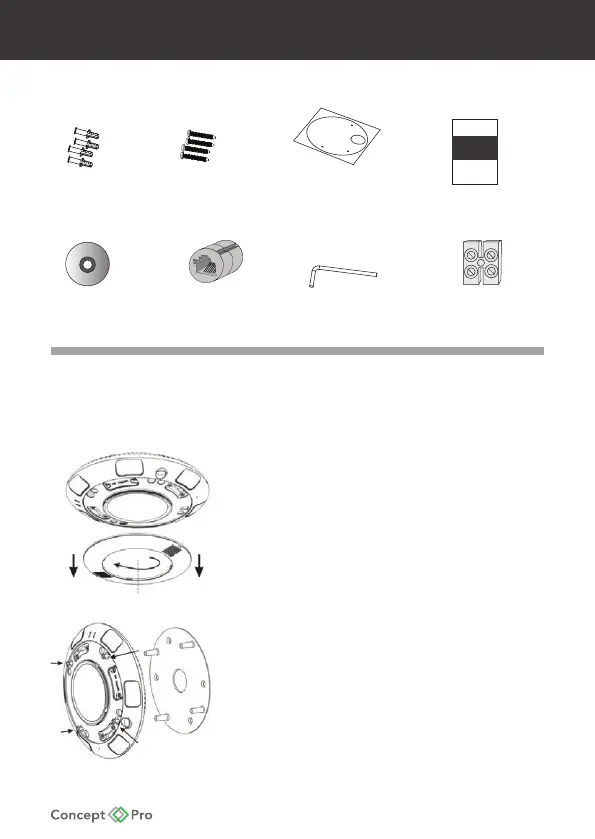
1. Take out the camera, keep the dome cover
down, rotate and remove the cover, shown in
Figure 1-1.
2. Use the Allen key in the accessory package
to unscrew the four star screws, remove the
installation bracket. See Figure 1-2.
PACKING CONTENTS
Figure 1-1
Figure 1-2










 To Next Page