4 / 16
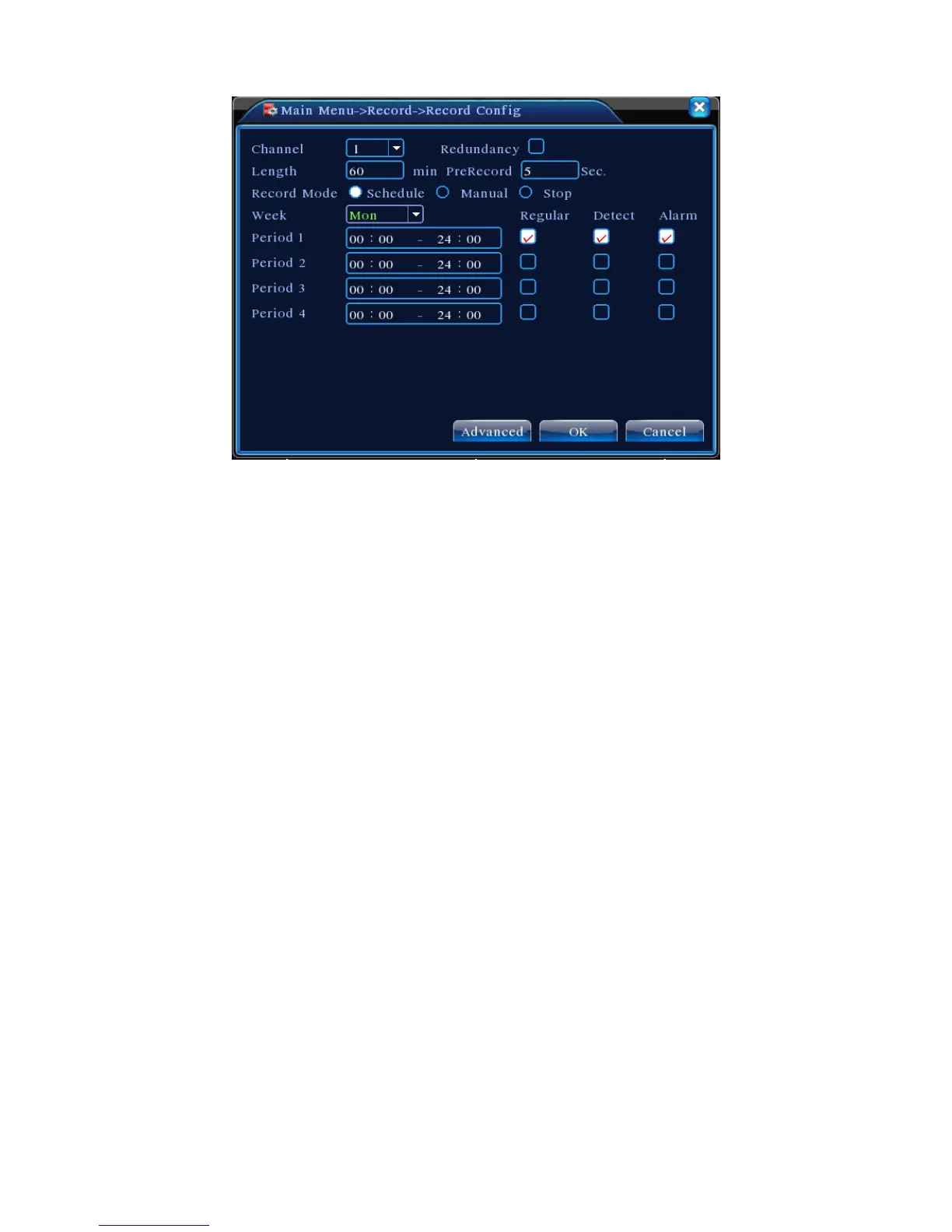
Pic 2 Recording Config
【
Channel
】
Choose the corresponding channel number to set the channel. Choose the
“all” option to set the entire number of channels.
【
Redundancy
】
Choose the recording file and backup in two hard disks. One is the
read-write disk, the other is the redundant disk. (refer to 4.5.1 in reference CD)
【
Length
】
Set the time length of each video file. 60 minutes is default length.
【
Prerecord
】
Record 1-30 seconds before the action (file length is decided by the stream).
【
Record Mode
】
Set video state: schedule, manual and stop.
Schedule: Record according to the set video type (regular, detect and alarm) and time
section.
Manual: Click the “all” button and make the corresponding channel record, regardless of
the current state of the device.
Stop: click the “stop” button and make the according channel stop recording regardless of
the current state of the device.
【
Period
】
Set the time section of common recording. The recording will start only in the
set range.
【
Recording Type
】
Set recording type: regular, detect or alarm.
Regular
:
Perform a regular recording in the set time section. The video file type is “R”.
Detect
:
Trigger the “motion detect”, “video blind” or “video loss” signal. When above
alarm is set as opening recording, the “detection recording” state is on. The video file type
is “M”.
Alarm
:
Trigger the external alarm signal in the set time section. When above alarm is set
as opening recording, the “detection recording” state is on. The video file type is “A”.
.



 To Next Page