6 / 16
8. Network
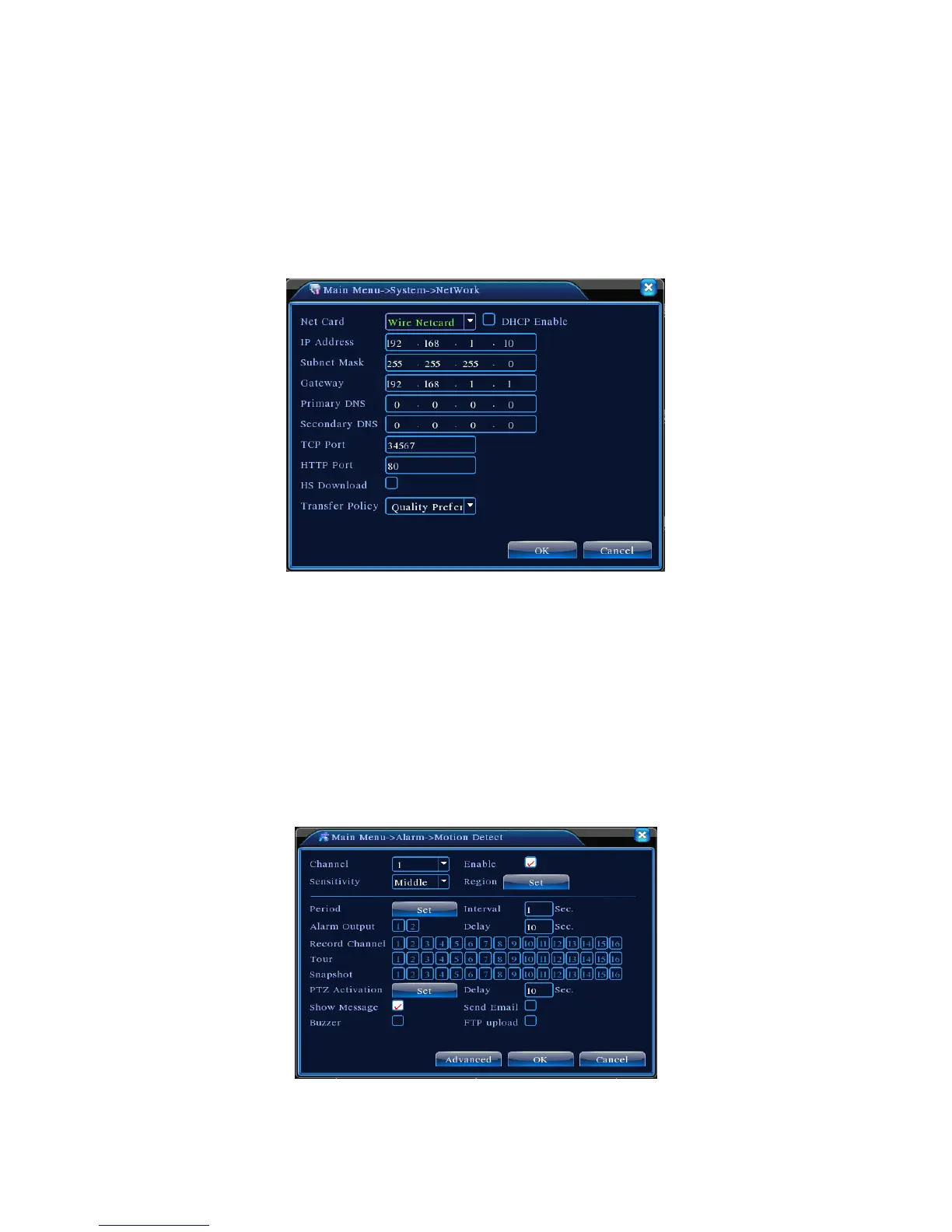
Doing network setup through [Main Menu]>[System]>[Network]
【
IP address
】
Set the IP address. Default: 192.168.1.10.
【
Subnet Mask
】
Set the subnet mask code. Default: 255.255.255.0.
【
Gateway
】
Set the default gateway. Default: 192.168.1.1.
Pic 5: Network setting
Set up the equipment’s IP address and the router in the same network segment. For example, the router IP
address is 192.168.1.1, and the subnet mask is 255.255.255.0. According to the default setup, generally the
default gateway is the router IP address, so enter IP address 192.168.1.10 in the IE browser to introduce
equipment such as image surveillance devices and for remote monitoring in the public network. For
detailed setup refer to “Network setup reference”.
9. Alarm
9.1Motion Detection
Pic 6 Motion Detection



 To Next Page