Conceptronic C54BRS4A User Manual
29
HOME - WAN
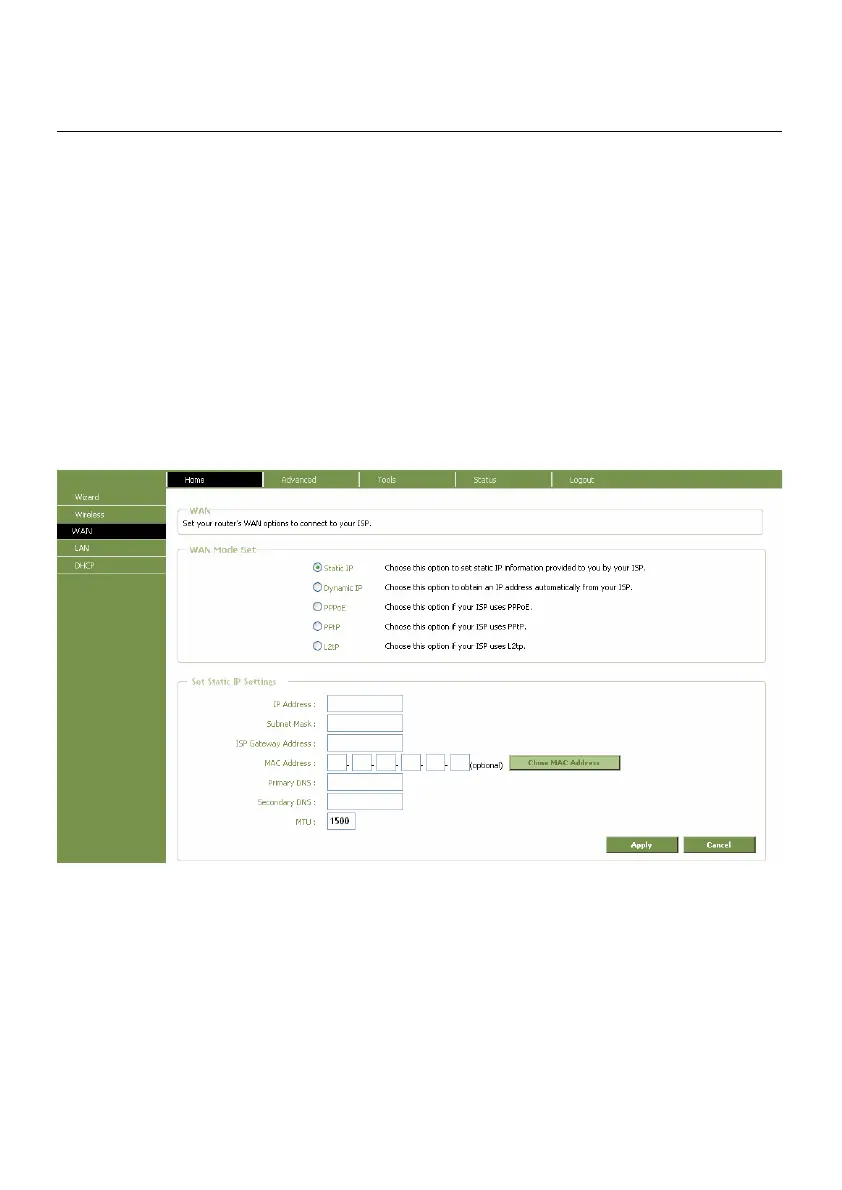
To access this window click on the WAN button in the left menu of the web manager.
Static IP Address
When the Router is configured to use Static IP Address assignment for the WAN connection, you
must manually assign a global IP Address, Subnet Mask and Gateway IP Address used for the WAN
connection. Follow the instruction below to configure the Router to use Static IP Address assignment
for the WAN connection.
To configure a Static IP Address connection, perform the steps listed below. Some of the settings do
not need to be changed the first time the device is set up, but can be changed later if you choose.
See the table below for a description of all the settings available in this window.
WAN Settings window for Static IP Address



 To Next Page