EasyManua.ls Logo

Contax Tvs III - How to Press the Shutter Release Button

Contax Tvs III
67 pages
Print Icon
To Next Page IconTo Next Page
To Previous Page IconTo Previous Page
Loading...
7.
How
to
Press
the
Shutter
Release
Button
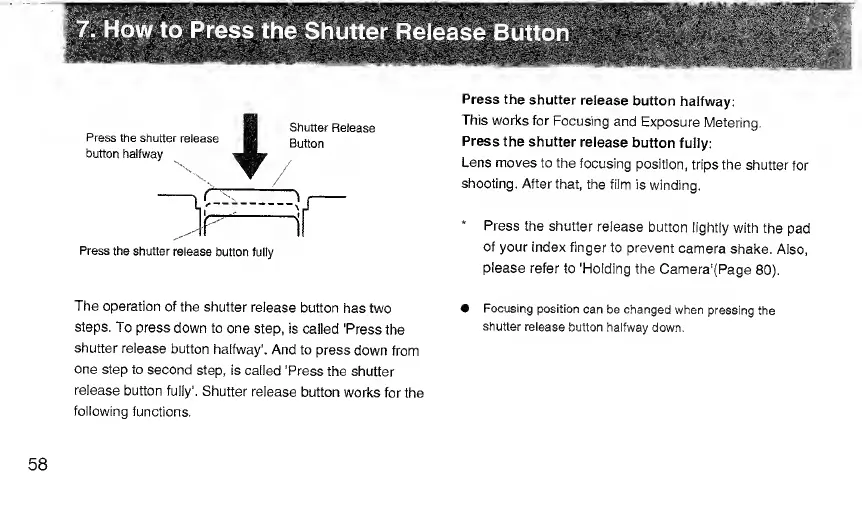
Press
the
shutter
release
button
fully
The
operation
of
the
shutter
release
button
has
two
steps.
To
press
down
to
one
step,
is
called
'Press
the
shutter
release
button
halfway'.
And
to
press
down
from
one
step
to
second
step,
is
called
'Press
the
shutter
release
button
fully'.
Shutter
release
button
works
for
the
following
functions.
Press
the
shutter
release
button
halfway:
This
works
for
Focusing
and
Exposure
Metering.
Press
the
shutter
release
button
fully:
Lens
moves
to
the
focusing
position,
trips
the
shutter
for
shooting.
After
that,
the
film
is
winding.
*
Press
the
shutter
release
button
lightly
with
the
pad
of
your
index
finger
to
prevent
camera
shake.
Also,
please
refer
to
'Holding
the
Camera'(Page
80).
Focusing
position
can
be
changed
when
pressing
the
shutter
release
button
halfway
down.
58

Related product manuals