Edition 03/2022 - ACE – Technical documentation - page 21
SACOME, CONFIDENTIAL Document, it is forbidden to duplicate or communicate this document without previous authorization.
12 TECHNICAL MENU
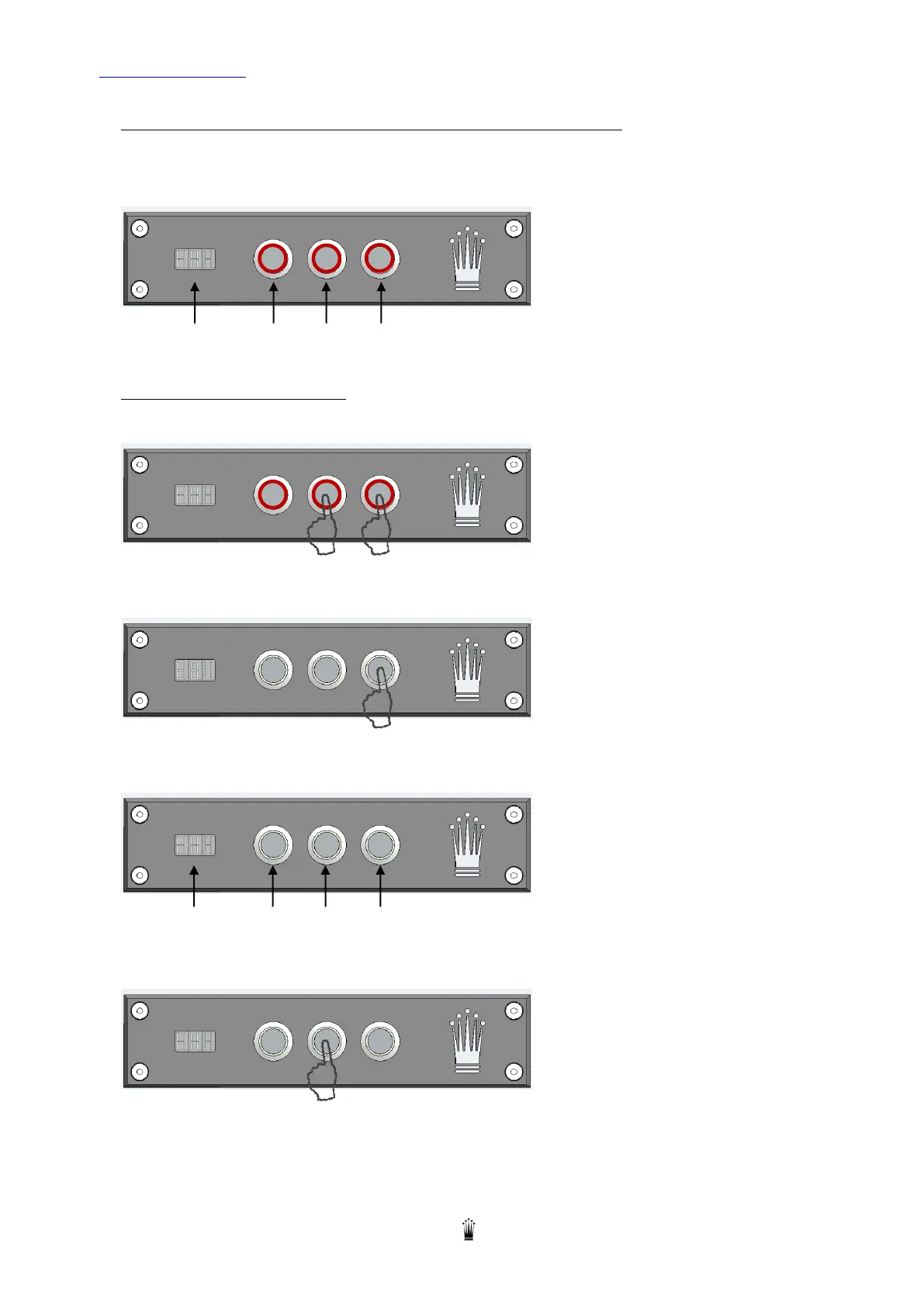
WHEN THE MACHINE IS READY THE CONTROL PANEL IS AS FOLLOW:
The leds of the 3 buttons are On
The display shows the setting temperature of the coffee boiler.
Display B1 B2 B3
ACCESS TO TECHNICAL MENU:
1. Keep Button B3 pushed and then press B2 to turn in ECO mode.
2. Keep B3 pushed for 5’ until the machine enters in the technical programming mode.
The 3 digits display shows "tSt".
3. Navigate in Technical Menu
Here is the control panel with the dedicated button for the navigation:
Display - + Enter / Esc”
4. Press B2 (“+” button) several time to scroll all the available menu:


 To Next Page