10 11
GETTING STARTED
C
ONTOUR
®
NEXT ONE blood glucose monitoring system
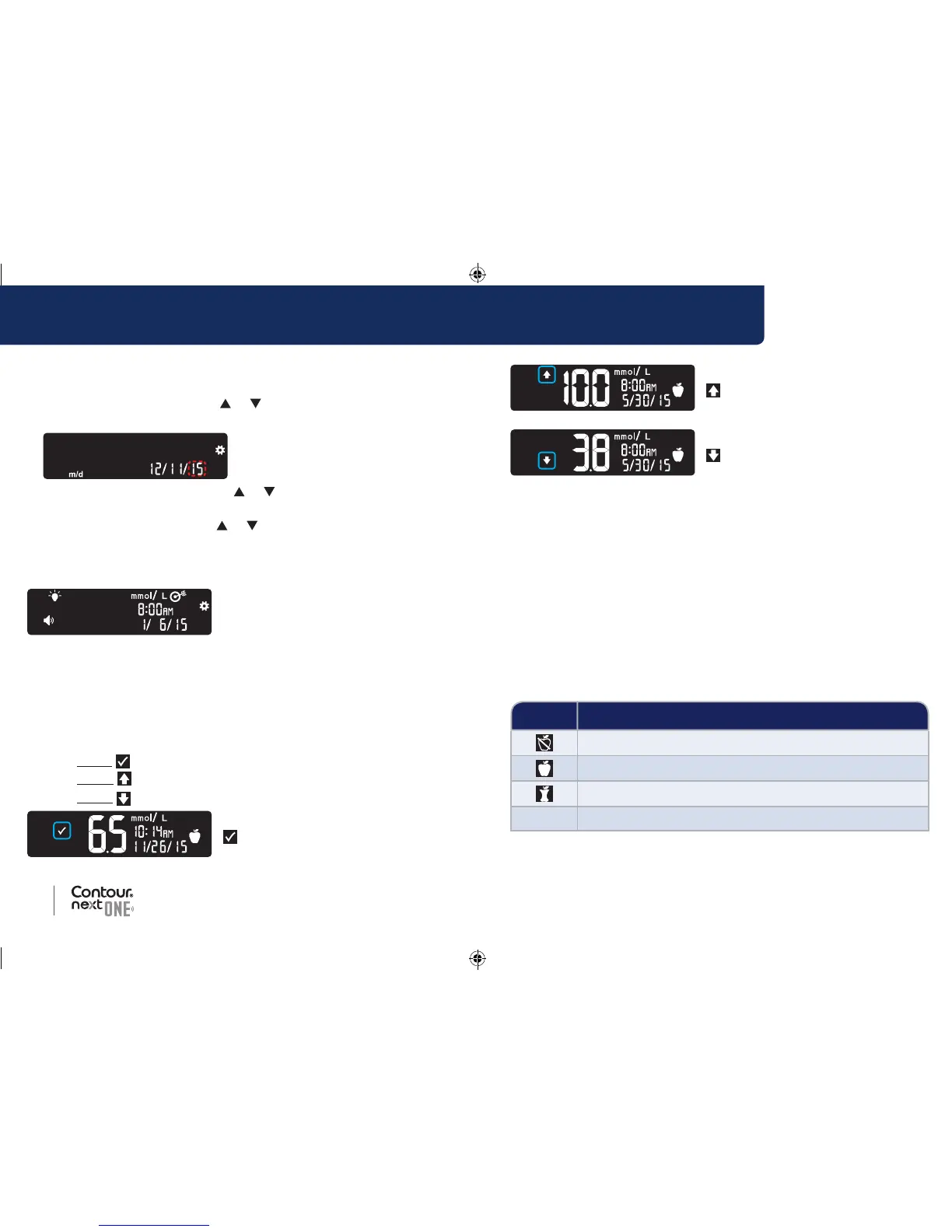
Set the Date
The year is blinking.
1. To change the year, press the
or button, then press the
OKbutton.
2. To change the month, press the or button, then press the
OK button.
3. To change the day, press the
or button, then press the
OK button.
The meter briefly displays your saved settings, then beeps and
turnsOFF.
Setup is complete. You are ready to test your blood.
Target Ranges and Meal Markers
The meter compares your blood sugar results with a Target Range
(for example, 3.9 mmol/L–7.2 mmol/L) to let you know if your test
result is:
• within
your Target Range.
• above
your Target Range.
• below
your Target Range.
Within Your Target Range.
Above Your Target Range.
Below Your Target Range.
You can attach a Meal Marker to your blood sugar result using the
Meal Marker feature in the meter. This feature lets you track your
blood sugar levels over time with separate target ranges for Fasting,
Before Meal, and After Meal markers.
• If you mark your test result as Fasting, the meter compares your
result against the Fasting Target Range.
• If you mark your test result as Before Meal, the meter compares
your result against the Before Meal Target Range.
• If you mark your result as After Meal, the meter compares the
result against the After Meal Target Range.
• If you do not mark the result, the meter compares your test result
against the Overall Target Range.
Symbol Target Range
Pre-set Fasting Target Range: 3.9 mmol/L–7.2 mmol/L
Pre-set Before Meal Target Range: 3.9 mmol/L–7.2 mmol/L
Pre-set After Meal Target Range: 3.9 mmol/L–10.0 mmol/L
Pre-set Overall Target Range: 3.9 mmol/L–10.0 mmol/L
Your CONTOUR NEXT ONE meter comes with Meal Markers
turned Off.
85096877_CntrNxtONE_UG_EN.indd 10-11 9/21/16 3:47 AM



 To Next Page