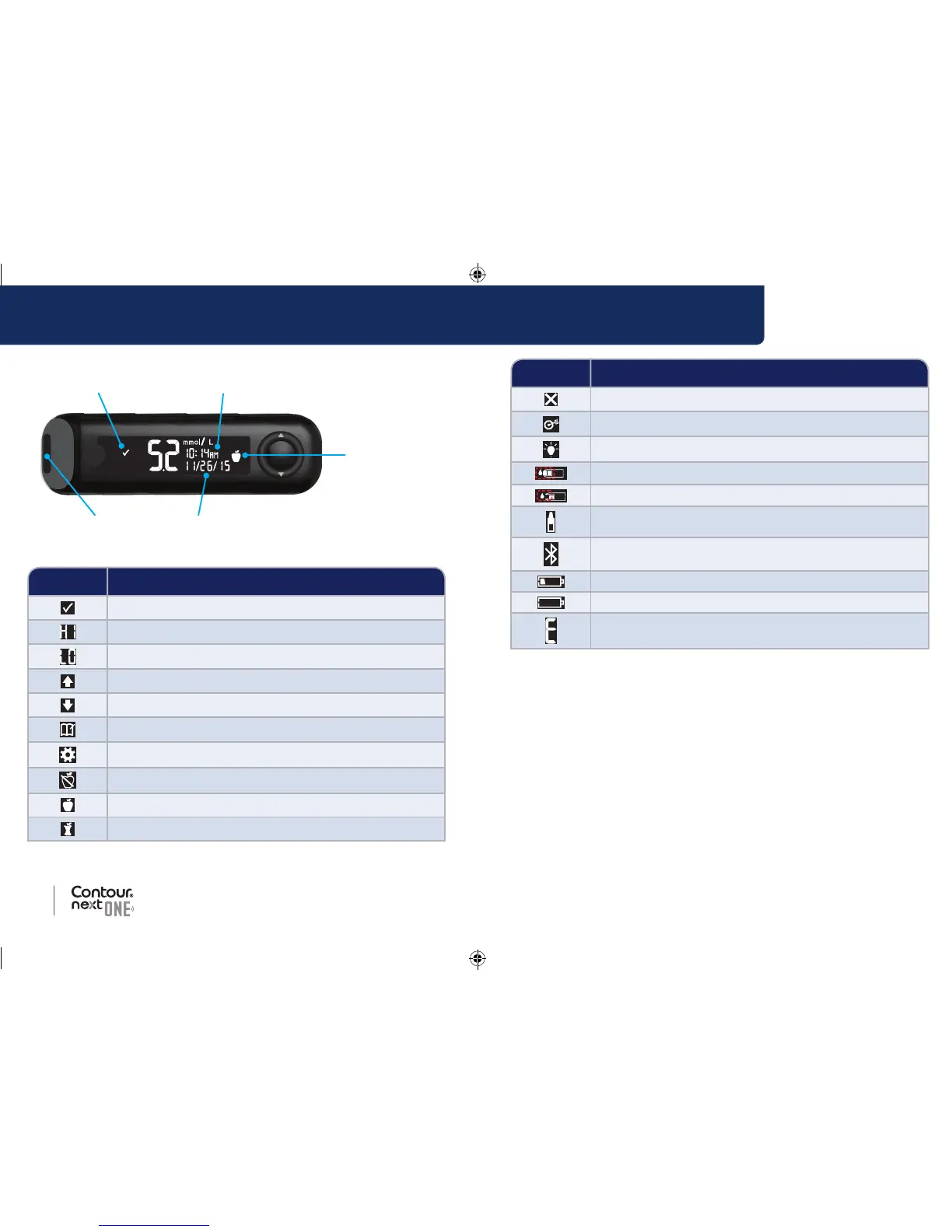
Symbol What the Symbol Means
Blood sugar test result is in Target Range.
Blood sugar test result is above 33.3 mmol/L.
Blood sugar test result is below 0.6 mmol/L.
Blood sugar test result is above Target Range.
Blood sugar test result is below Target Range.
Logbook entr y.
Meter Settings.
Fasting marker.
Before Meal marker.
After Meal marker.
Symbol What the Symbol Means
No marker selected.
A Target Range or Target setting.
Target Light (smartLIGHT) setting.
Meter is ready to test.
Add more blood to strip.
Control solution result.
Bluetooth
®
symbol: indicates the Bluetooth setting is On;
the meter can communicate with a mobile device.
Indicates low batteries.
Indicates dead batteries.
Indicates a meter error.
85096877_CntrNxtONE_UG_EN.indd 4-5 9/21/16 3:46 AM



 To Next Page