18 19
TESTING
C
ONTOUR
®
NEXT ONE blood glucose monitoring system
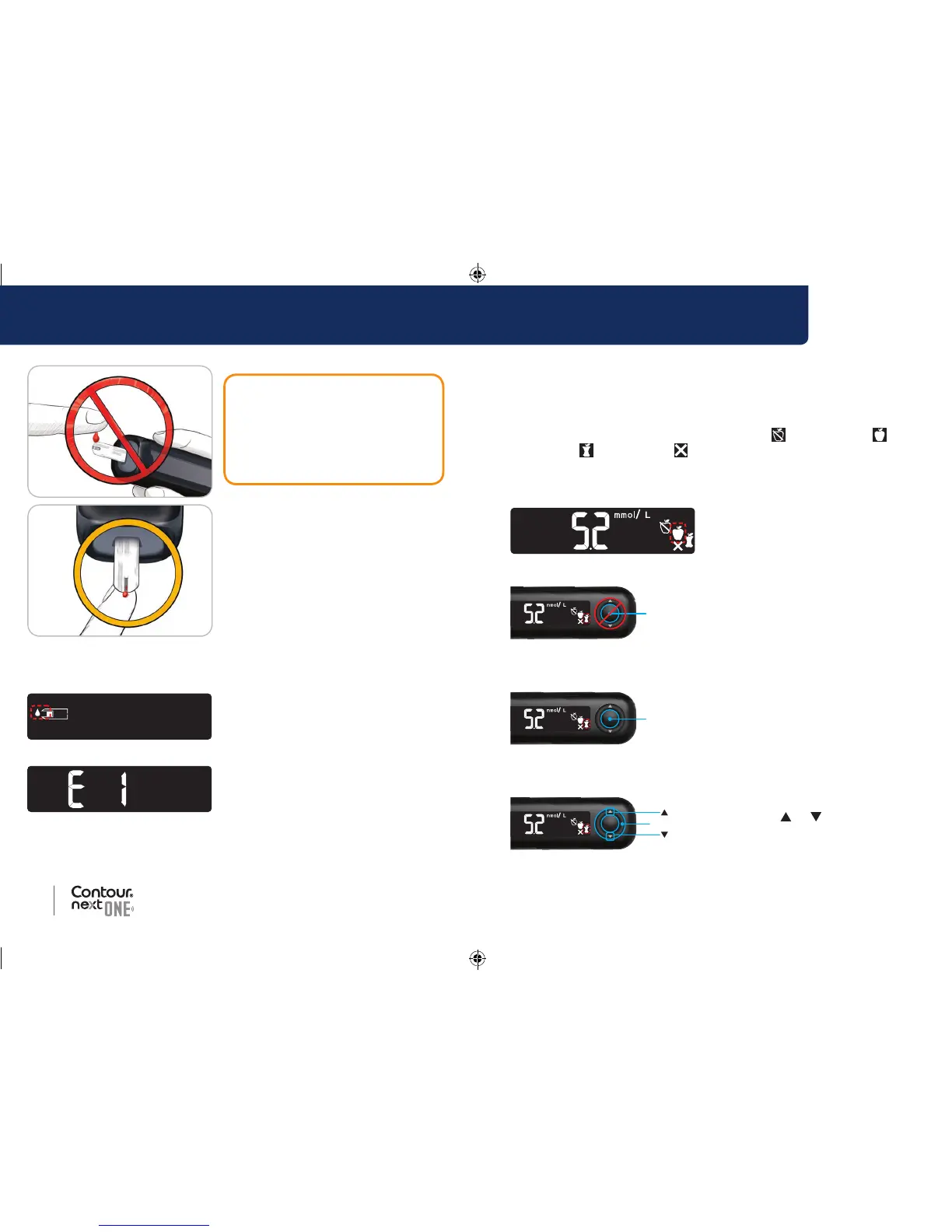
Select a Meal Marker
NOTE: During a blood sugar test, if Meal Markers are On, you can
select a Meal Marker when the meter displays your result. You
cannot select a Meal Marker in the Settings screen.
If the Meal Marker feature is On, a Fasting
, Before Meal ,
After Meal
, or No Mark marker is blinking on the blood sugar
result screen. The meter suggests this Meal Marker based on the
time of day and the meal period: fasting/breakfast, lunch, dinner, or
overnight. Example:
1. If the blinking Meal Marker is
the one you want, press the
OK button
or
Outer Ring
2. To select another Meal Marker,
press the
or button on
the outer ring to scroll between
markers.
CAUTION: Do not press the
tip of the test strip against the
skin or place the blood on top
of the test strip. These actions
could lead to inaccurate results
or errors.
5. Hold the tip of the test strip
in the blood drop until the
meter beeps.
NOTE: If Meal Marker feature is
On, do not remove the test strip
until you select a Meal Marker.
Apply More Blood
1. If the meter beeps twice and the
screen displays a blinking blood
drop, the test strip does not have
enough blood.
2. Apply more blood to the test strip
within 60 seconds.
3. If the screen displays an E 1 error
message, remove the strip and
start with a new strip.
The meter displays your blood sugar result. If the Meal Markers are
On, the Meal Marker symbol is blinking.
85096877_CntrNxtONE_UG_EN.indd 18-19 9/21/16 3:47 AM



 To Next Page