IABETES app. The manufacturer is not responsible
forany erroneous results from the use of other software.
You can automatically transfer results from your CONTOUR NEXT ONE
meter wirelessly to your smartphone or tablet. See Download the
C
ONTOUR DIABETES app on page 7 and follow the app instructions
to pair your meter and get started.
Transfer Results to a Personal Computer
CAUTION: Do not attempt to perform a blood glucose test when
the C
ONTOUR NEXT ONE meter is connected to a computer.
You can transfer test results from the CONTOUR NEXT ONE meter to a
computer where they can be summarized in a report with graphs and
tables. To make use of this feature, you need
G
LUCOFACTS
®
DELUXE
diabetes management software and a 1-meter (or 3-foot) long USB-A
to Micro USB-B cable. This type of cable is available in electronics
retail stores. For a free download of the software, go to
www.glucofacts.ascensia.com
CAUTION: Use only approved equipment from the manufacturer
or certified body such as UL, CSA, TUV, or CE.
Batteries
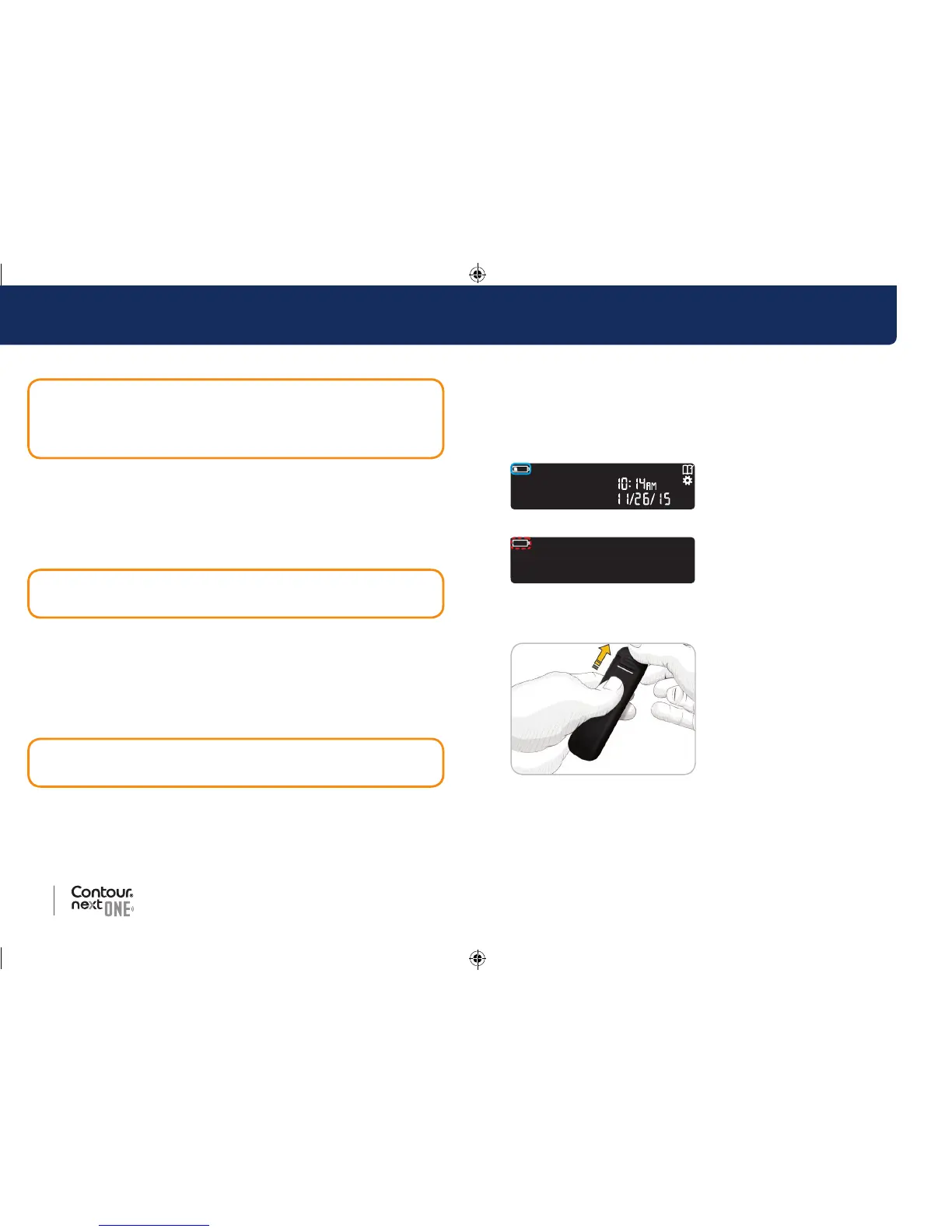
When the batteries are low, the Low Batteries symbol displays on
every screen.
Replace the batteries immediately. When you see this symbol, you
can only test about 10 more times over the next 3 days before the
batteries are dead.
The meter operates normally,
displaying the Low Batteries symbol
until you replace the batteries.
When you are no longer able to
perform a test due to low batteries,
the meter displays the Dead
Batteries screen. Replace the
batteries immediately.
Replace the Batteries
1. Before replacing your batteries,
turn off your meter.
2. Turn the meter over and slide
the back cover in the direction of
the arrow.
The battery holder comes out.
3. Remove both of the old batteries and replace them with two 3-volt
CR2032 or DL2032 coin cell batteries.
85096877_CntrNxtONE_UG_EN.indd 50-51 9/21/16 3:47 AM



 To Next Page