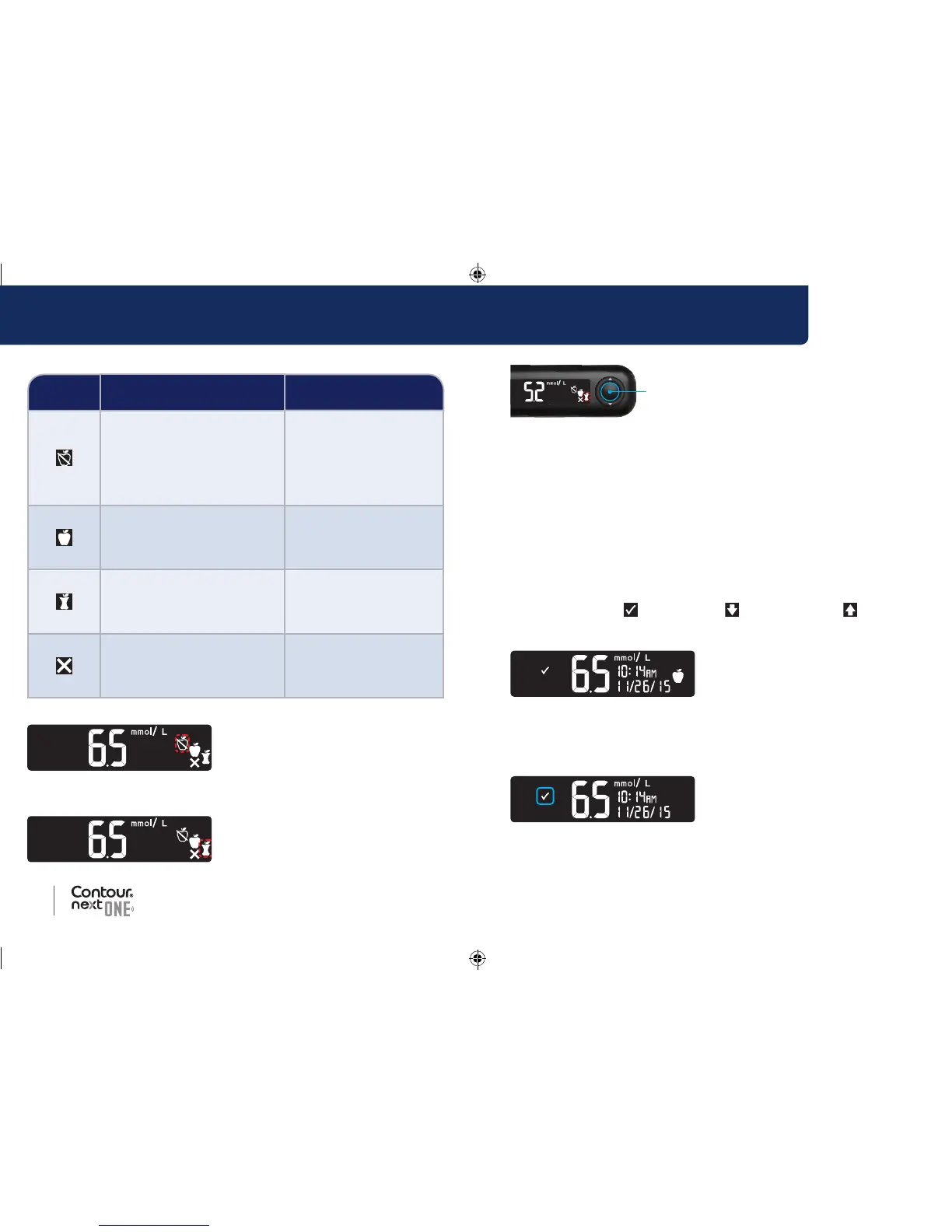
3. When the Meal Marker you
want is blinking, press the
OK button.
If you do not make a Meal Marker selection within 30 seconds, the
screen dims. Press any button to turn the screen back on and make
your selection.
If you do not make a Meal Marker selection within 3 minutes, the
meter turns off. Your blood sugar reading is stored in the Logbook
without a Meal Marker.
Blood Sugar Test is Complete
When your blood sugar test is complete, the meter displays your
result with the units, time, date, meal marker (if selected), and target
indicator: In Target
, Below Target , or Above Target .
Example: Blood test result with Meal Marker selected:
NOTE: To change a Meal Marker you selected, you must use the
C
ONTOUR DIABETES app.
Example: Blood test result with Meal Markers Off or marker not
selected:
Meal Marker choices if Meal Marker feature is On
Symbol
What the Symbol Means
Related Target Range
Fasting: Use the Fasting
marker when testing blood
sugar levels after fasting
(nofood or drink for 8 hours,
except water or non-caloric
beverages).
Fasting Target Range
Before Meal: Use the
Before Meal marker when
testing blood sugar levels
within 1 hour before a meal.
Before Meal
Target Range
After Meal: Use the After Meal
marker when testing blood
sugar levels within 2 hours after
the first bite of a meal.
After Meal Target Range
No Mark Selected: Use the
No Mark symbol when testing
at times other than after fasting
or before or after a meal.
Overall Target Range
Example: If you scroll up to Fasting, the Fasting marker blinks.
Example: If you scroll down to After Meal, the After Meal
marker blinks.
85096877_CntrNxtONE_UG_EN.indd 20-21 9/21/16 3:47 AM



 To Next Page