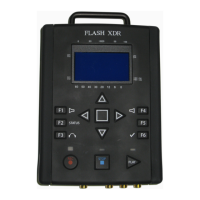
Flash XDR User’s Manual
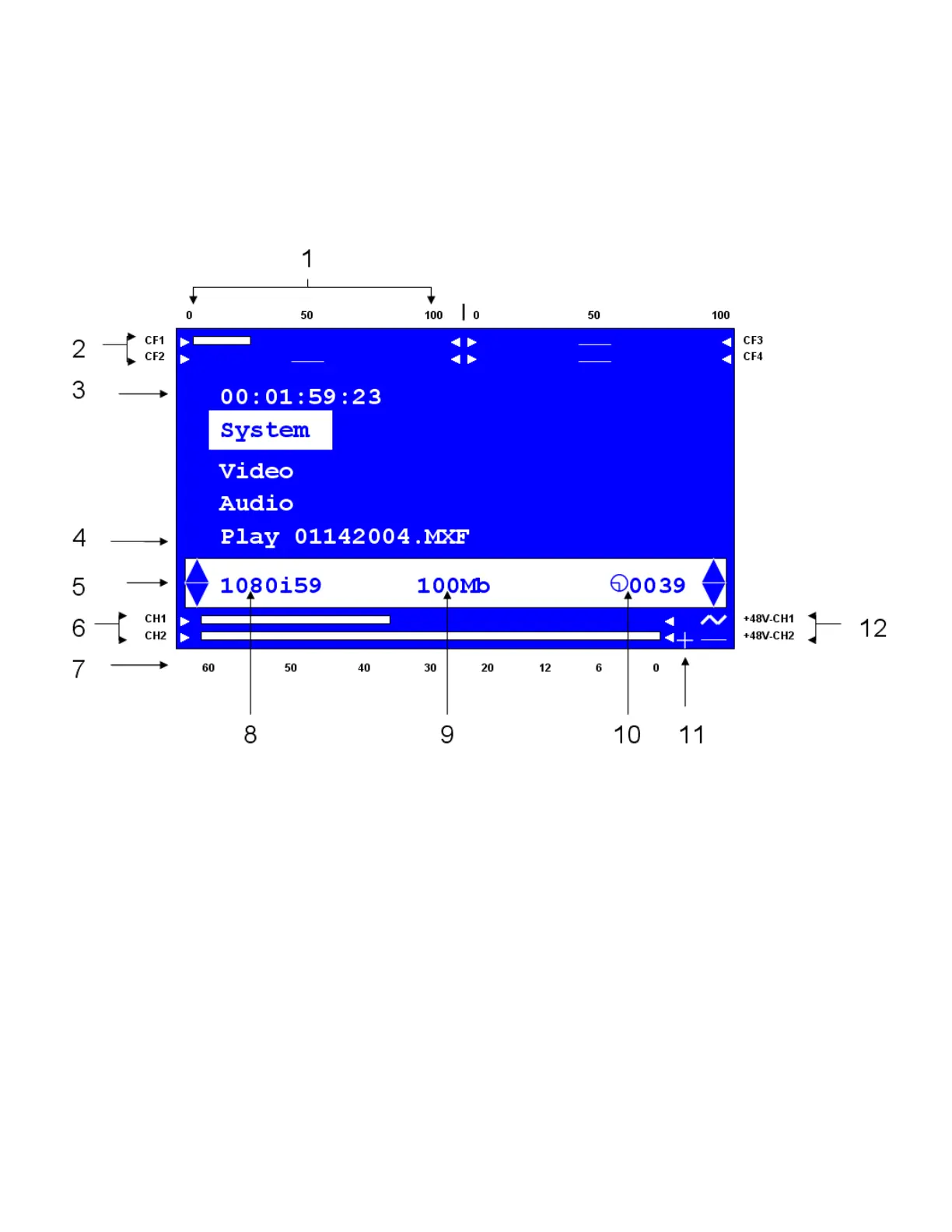
LCD Screen Layout
The LCD screen will change in appearance depending on the operating mode. Below is the essential
layout information:
1. Compact Flash Card levels: 0 to 100% full
2. Individual Compact Flash Level Indicators
3. Time-code Display
4. Play Menu Line with current file name displayed
5. Audio Gain adjustment indicators (Mic input only). During record, allows Mic input gain
adjustment using up and down arrow keys. Activate with F1 (CH1) and F4 (CH2). (You can
also adjust Mic gain via the Audio menu. This is just a mechanism to adjust during record.)
6. Audio Channels 1-2 Level Indicators
7. Audio level markers (-60dB to 0dB)
8. Current Video Source Format
9. Recording (compressed) bit-rate
10.Total remaining record time (minutes) across all cards
11.Audio Over-Range Indicator
12.Microphone Phantom Power (+48V) Indicator.
Convergent Design, Inc 10


 To Next Page
 Loading...