
 Need help?
Do you have a question about the Cooler Master Hypper 212 Plus and is the answer not in the manual?
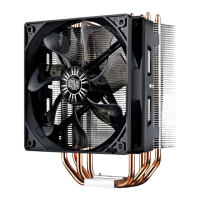
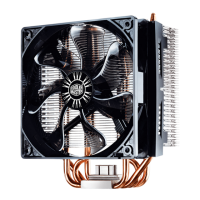
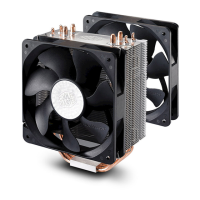
Lists all included parts such as CPU cooler, fan brackets, stand-offs, thermal grease, back plate, retention plate, screws, nuts, and tools.
Select correct platform type, remove protective layer from cooler base, and apply thermal grease to the cooler base surface.
Caution regarding sharp edges for injury prevention and keeping the product away from children's reach.
Instructions on installing the back plate, emphasizing not peeling off the insulating tape and its orientation towards the motherboard.
Securing the cooler onto the mainboard, ensuring tight contact between the cooler and the CPU surface.
Mounting instructions for LGA 775 and Intel LGA 1156/1366 sockets.
Mounting instructions for AMD Socket AM3.
Installation steps for LGA 1156, LGA 1366, and AMD Socket AM2/AM3 platforms.
Attaching fan brackets to the fan and then attaching the fan to the cooler, with options for a second fan.
Connecting the fan's power cable to the motherboard's 4-pin connector.
 General
| Brand | Cooler Master |
|---|---|
| Model | Hypper 212 Plus |
| Category | Computer Hardware |
| Language | English |


 To Next Page