17
Using a Telecommand
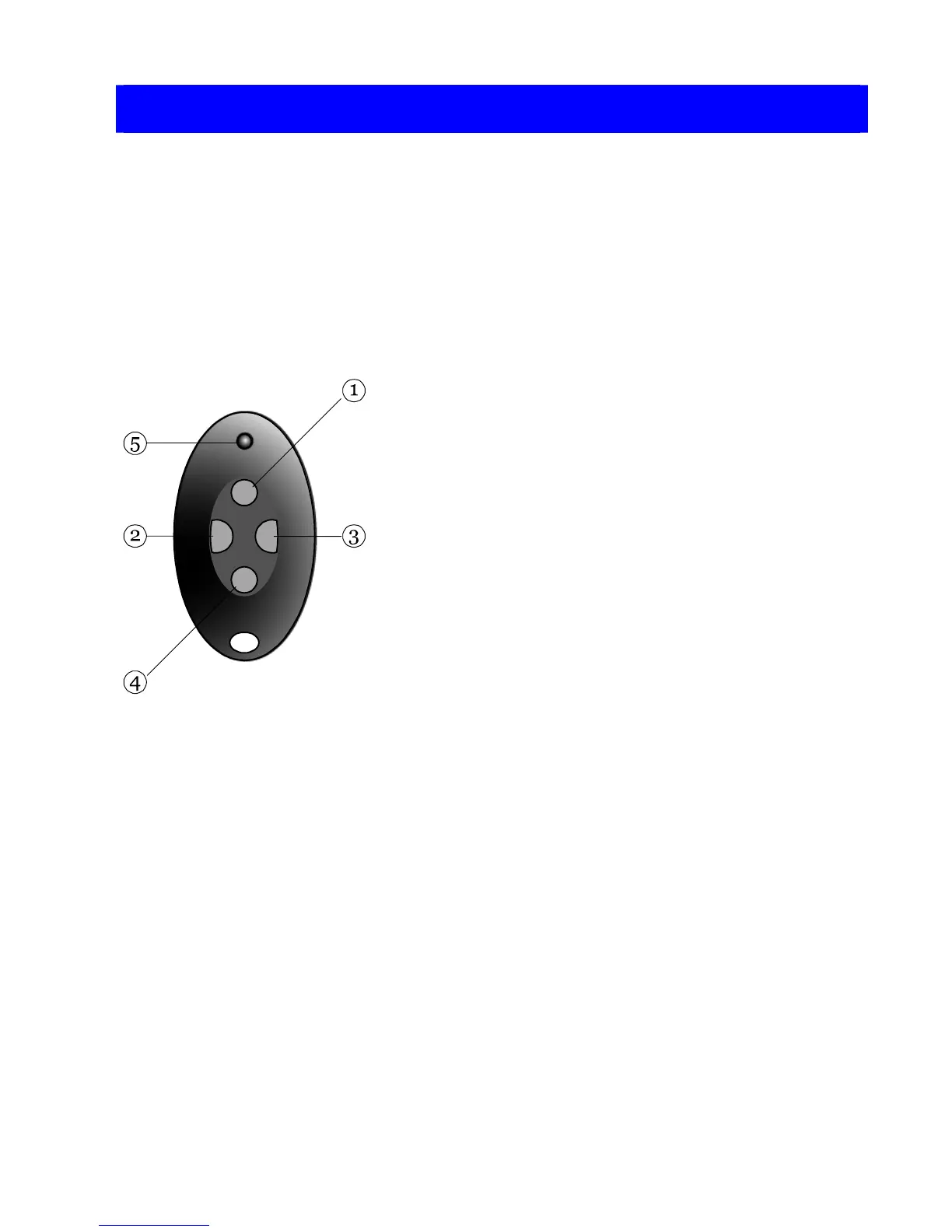
A telecommand is a small remote control
that you can attach to a keyring. The
telecommand has four buttons and a small
light that glows when the telecommand
transmits a signal. When delivered from the
factory three of the buttons are dedicated to
setting wards and the fourth to unsetting all
wards:
1. Button 1: set ward(s).
2. Button 2: set ward(s).
3. Button 3: set ward(s).
4. Button 4: unsets all wards.
5. Transmit LED (light emitting diode).
The alarm company programs the system to
recognise individual telecommands (they all
have a unique electronic identity). Your
system manager can program buttons 1 to 3
to set different wards, and button 4 to unset
specific wards (rather than all wards). If your
system manager gives you a telecommand
make sure that you understand the function
of each button.
Note that you must hold down a button for at
least two seconds to operate the
telecommand. This delay is intended to stop
the telecommand being activated
accidentally while in your pocket.



 To Next Page