Connecons
TURNTABLE CONNECTIONS:
Before connecng the unit it is advised that you also consult your current equipments instrucon manu-
als to ensure product compability and to ensure proper use.
IMPORTANT: Be sure to turn o the equipment before you make changes to any connecons.
1. Phono / Line Switch:
This unit has the ability to output either a PHONO signal or a LINE signal via the RCA output on the rear
panel of the unit. The voltage and Impedance levels of the PHONO output and LINE output are very dif-
ferent. It is therefore extremely important to set this switch correctly.
If you connect this unit to a PHONO INPUT on your Receiver, Amplier or Mixer etc: Set the PHONO/
LINE Switch to ‘PHONO’.
If you are connecng this unit to a LINE INPUT on your Receiver, Amplier, Mixer, etc: Set the PHONO/
LINE Switch to ‘LINE’.
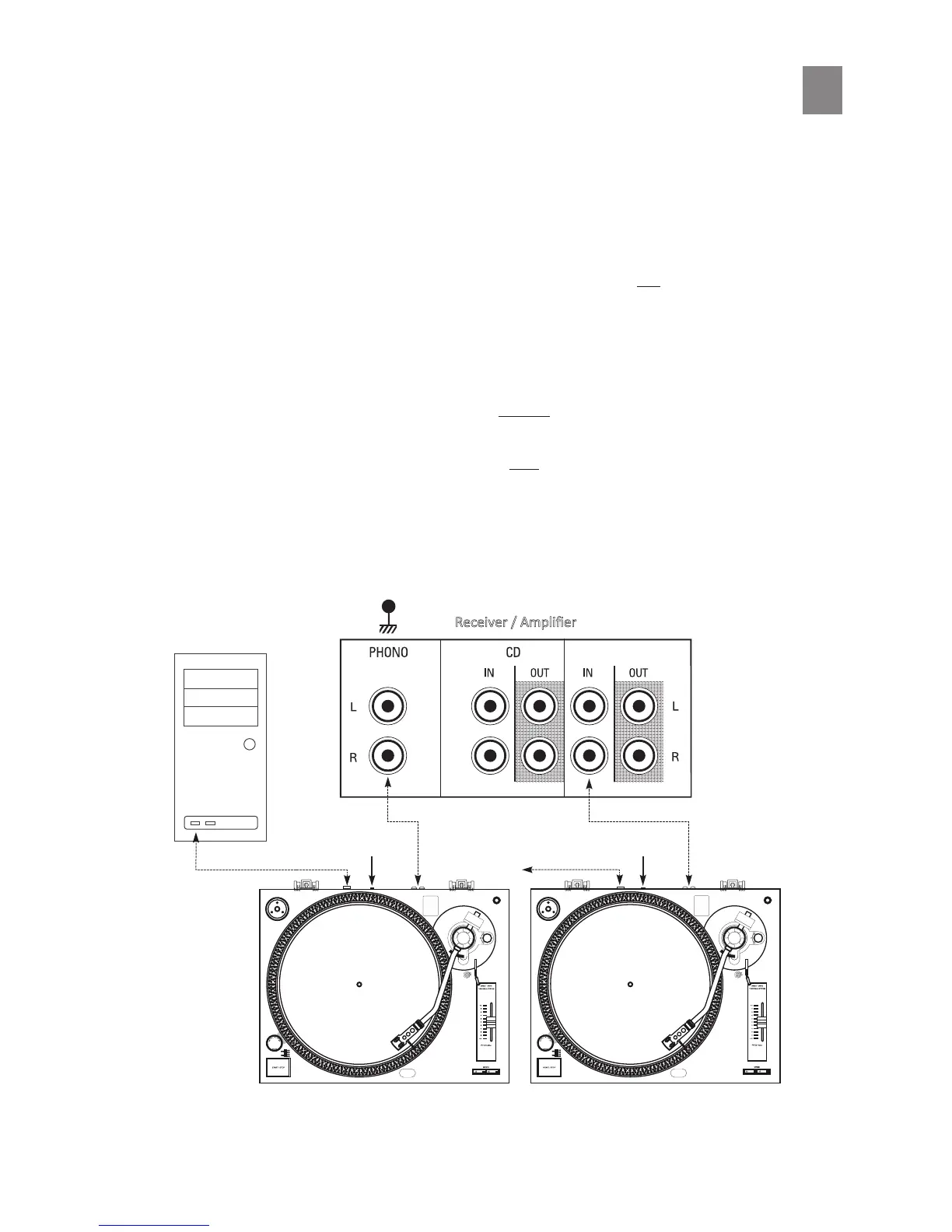
2. RCA Audio Cable Connecons:
Carefully connect the RCA cables from this turntable to either the PHONO or LINE input of your Ampli-
er, Receiver or Mixer as follows:
8



 To Next Page