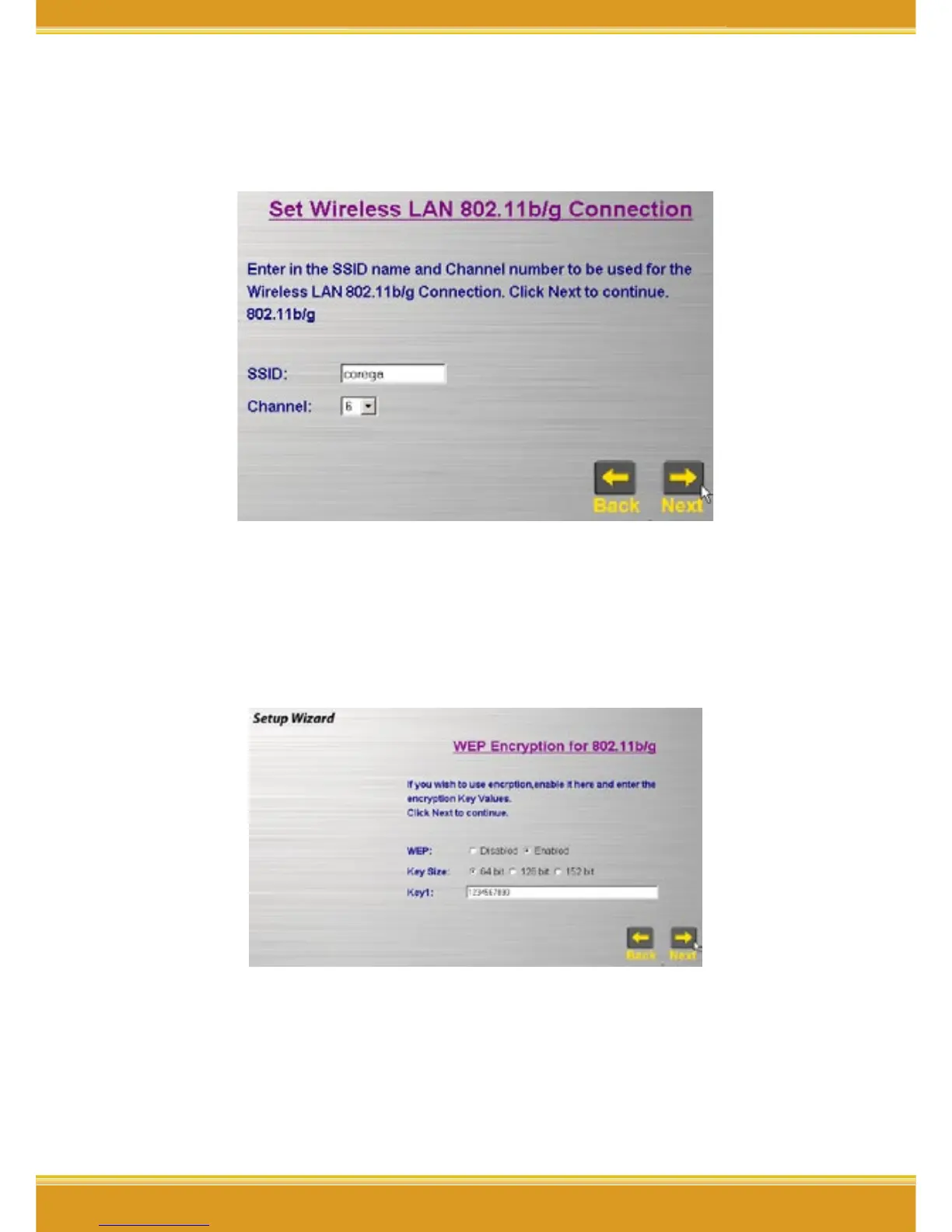
2. You will see [SSID] and [Channel] in the following screen, you may
change it or not, but recommanded to change it to make sure the
security.
*Note: the default SSID(ESSID) is "corega", and default channel is 6.
3. Recommanded to click [Enable] from WEP setting screen, => select
[64Bits], [128Bits], or [152Bits]=> key in password in Key1 tab, =>
click [Next].
* Note:
1. Please enter 10 characters for 64Bit; 26 characters for 128Bit or
32 characters for 512Bit (number 0~9, and letters a~f).
2. You may aslo keep [Disable] default setting and click [Next] to
skip the step.


 To Next Page