Item Description
MAC Address Display corega WLAPGMN’s Mac address
Get IP From
There are 2 selections: Manual and DHCP
* Default is [Manual].
IP Address Default is [192.168.1.230].
Subnet Mask Default is [255.255.255.0].
Default Gateway Default is [192.168.1.1].
* Note: If any setting has been changed, you have to click [Reboot]-
>[Restart] to save the changes.
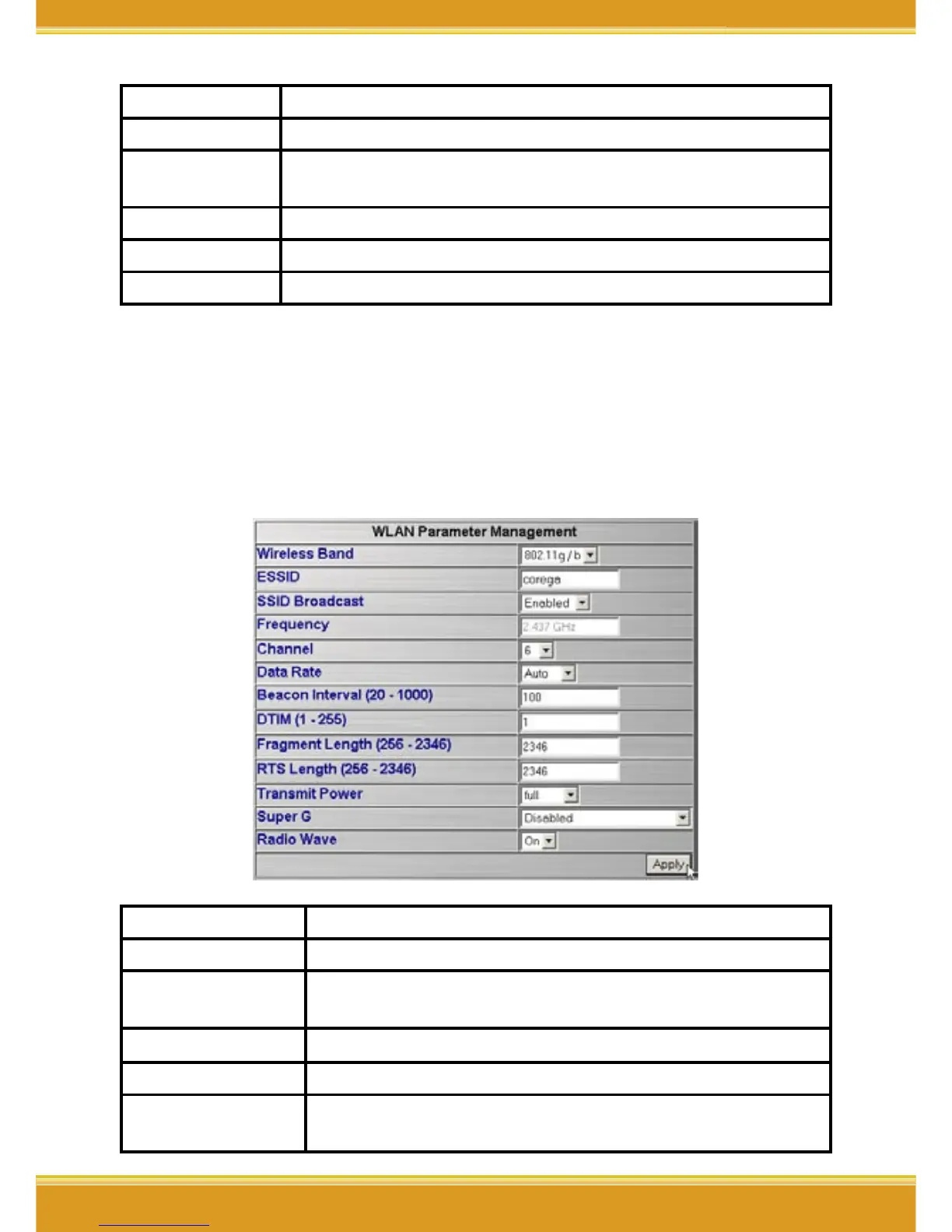
<WLAN Parameter Settings>
1. Click [Advanced]->[Configuration]-[WLAN Parameter Settings], when
configure completed, please click [Apply].
Item Description
ESSID Default is [corega].
SSID Broadcast
You may select [Enable] to hide your AP, or [Disable] to
open your AP.
Frequency
Default is [2.437 GHz].
Channel Default is [6].
DataRate
Display the DataRate between computer (WLAN adapter)
and WLAPGMN


 To Next Page