xiv
166240001
START-UP AND CHECK OUT
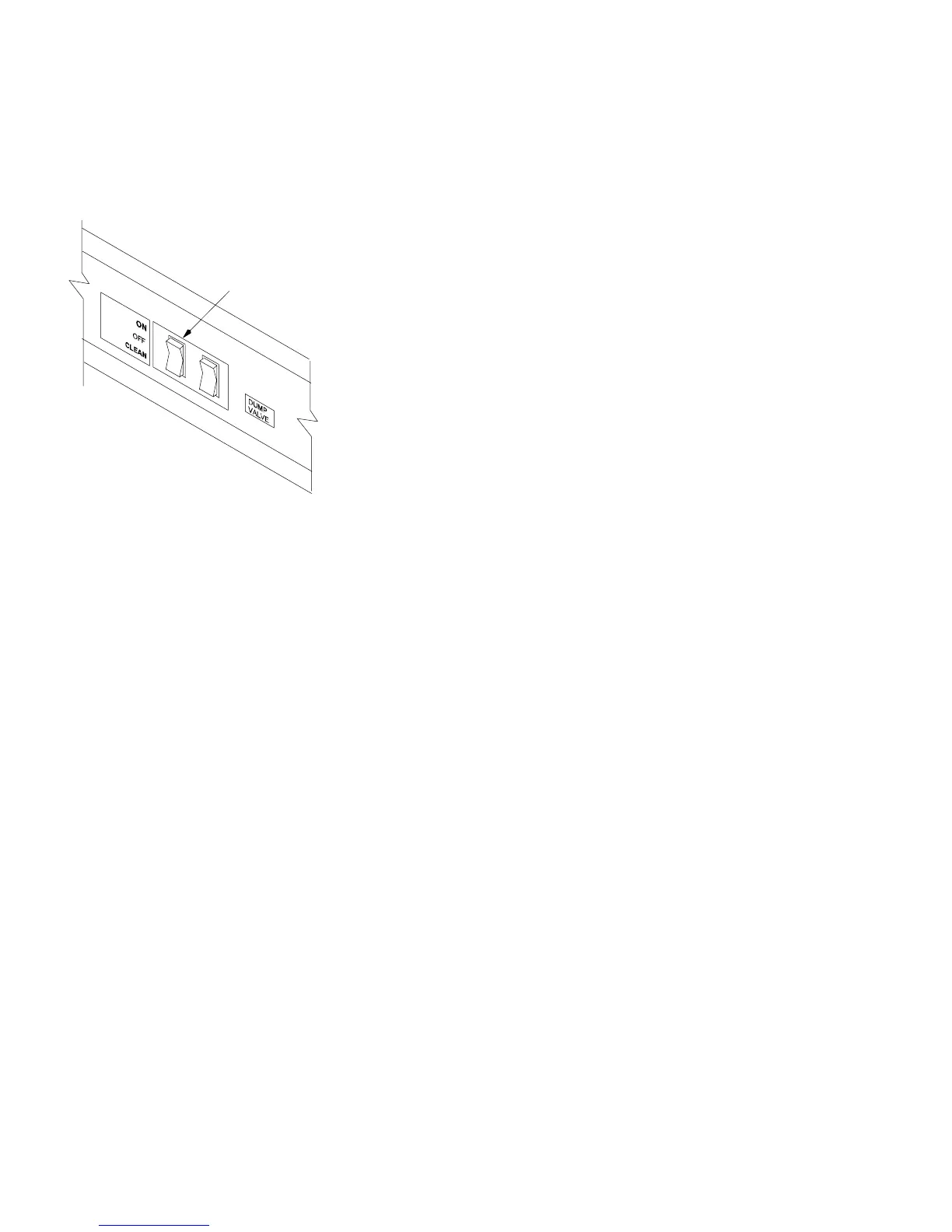
1. Turn the Cuber’s power switch to the clean (pump only) position.
The water pump only should be operational. Check for an even,
steady flow of water over evaporator top extrusion and down over
evaporator surface. Check that all ports of the water distribution
tube are open for even water discharge. The water pan should refill
and the float should stop the incoming water supply.
Note: Should service be required on the float valve or
strainer, turn the water supply off loosen the float hold down
nut and remove the float and strainer as an assembly for ease
of service.
2. Place the Cuber’s power switch in the on position. After a 2 second
delay the compressor will start. The condenser fan will operate
when the condenser sensor signals the circuit board its tempera-
ture is 100_F (38_C) The water pump will operate when the evapo-
rator cools to 25_F (–3.9_C). Depress the manual harvest switch
(on the circuit board) the fan motor will stop and the water dump
valve will open. In 3 seconds the hot gas solenoid will open and 15
seconds after depressing the manual harvest switch, the water
pump and dump valve will close terminating the dump cycle.
3. Hold the water curtain open for a maximum of 30 seconds; the
Cuber should shut down. Release the water curtain(s). When the
curtain(s) closes, there will be a 2 second delay, then the compres-
sor will start and the start–up process should begin for the next ice
making mode.
4. If all Cuber operation is as stated, allow product to operate and
produce one slab of ice, then discard the ice. Allow the Cuber to
continue operation to fill the storage bin.
Power Switch



 To Next Page