7
3-1-2. Main switch˕
B
and remote port˕
C
烉
The 3-stage switch is for turning the unit ON/OFF or putting in to the
remote mode.
3-1-1-1. Before installing the inverter, make sure the main switch
is set to "OFF ".
3-1-1-2. Before using the remote unit, make sure the main switch
is set to "REMOTE ".
3-1-1-3. Ensure the remote control contact is off.
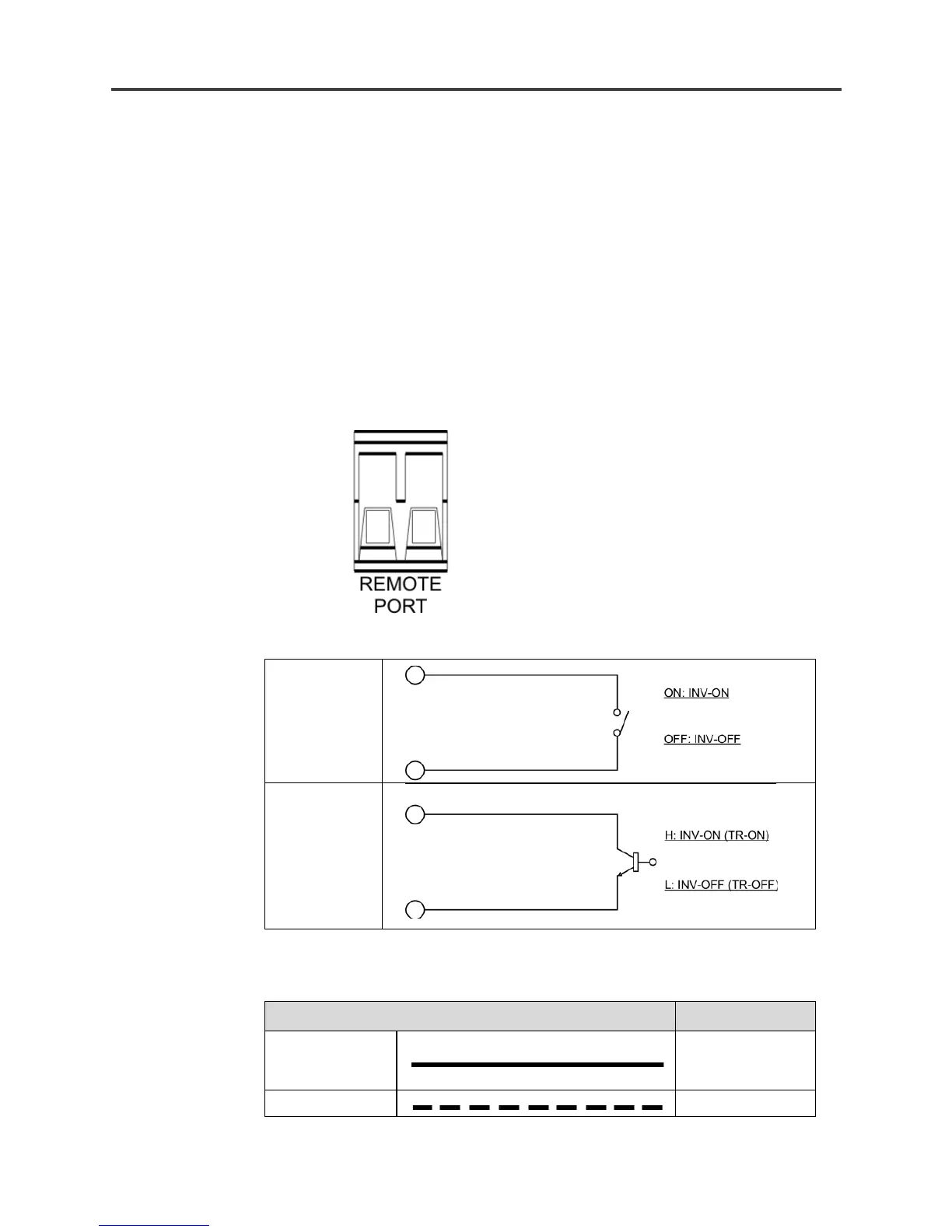
3-1-1-4. Remote Port烉Place 0.75mm
2
and Screw type cable
between the remote port and the panel.
3-1-1-5. To turn ON / OFF inverter via remote switch.
REMOTE PORT


 To Next Page