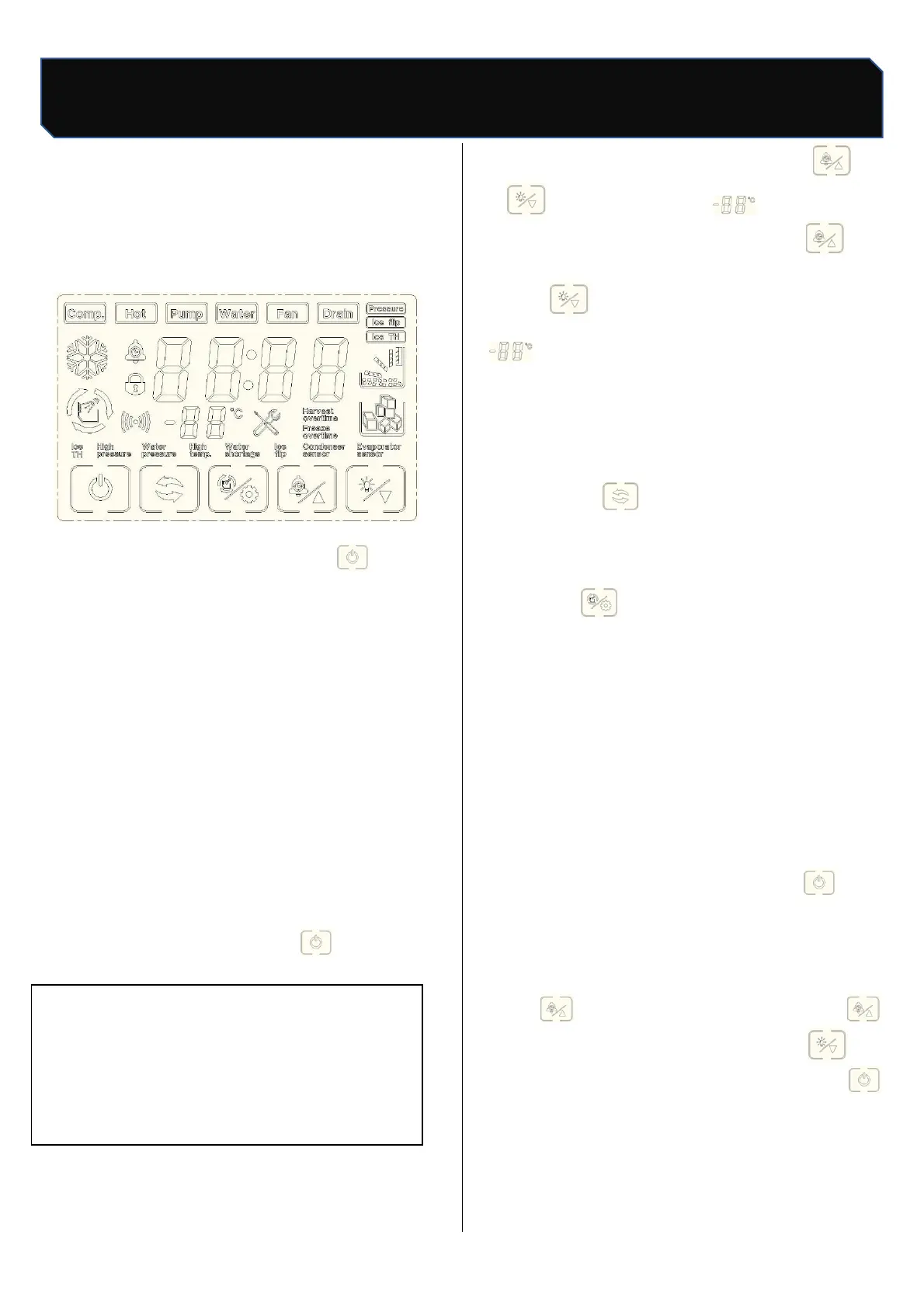
10. Operation
10.1 Power on/off
Power on:Connect water supply and drainage,
plug in power plug, press power switch, touch
screen start to light up;
Power off: In ice making, press” "once, the
ice maker stops making ice (standby state), the
screen shows" OFF", press the power switch, then
pull out the power plug.
10.2 Ice making
a. After the ice maker is power on, the ice maker
automatically enters the ice making preparation
work. The preparation process includes water pump
start, hot valve open, compressor start, fan start,
etc. Under normal circumstances, after the
preparation work is finished, the ice maker start
automatic ice making, no need to do any more
operation until the ice machine stops making ice;
when the ice is removed, the ice machine begins to
make ice;
b. In standby state, press " ”once, start
making ice.
10.3 Ice Thickness Adjustment
In the ice-making state, press " "or
“ "can see the screen" ”count display
number start flashing, each press ” "can
increase the ice-making time for 1 minute, each
press” " can reduce the ice-making time for
1 minute; after adjustment, stop operation ,"
” the number no longer flashes, the ice
thickness setting is complete (note: before and
after the ice thickness adjustment, the ice maker
has been making ice);
10.4 Forced de-icing
Press “ "to force deicing under
ice-making condition;
10.5 Manual cleaning
Press “ "in standby state, enter manual
cleaning state, cleaning icon flicker, water
inlet valve open, screen display start timing,
about 15 minutes later, cleaning stop, start
drainage,30 s after drainage, enter automatic
rinsing stage, Clean for 3 minutes, drain for 30
s, and recycle for 5 times, the whole cleaning
process and the screen shows “OFF", enter
standby state;
Note: if you need quick cleaning, you can not wait
15 minutes to start drainage directly after 30
s, enter the rinsing stage, rinse if you do not
need to cycle many times can press "stop
rinsing, into standby state;
10.6 Reserve ice making
Standby state (display "OFF""), the first time
press " enter time settings, each press
"can increase 10 minutes, each press" can
reduce 10 minutes; after setting up, press
once, the screen shows the countdown of the set
time, When the countdown is 00:00, the ice maker
begins to make ice.



 To Next Page