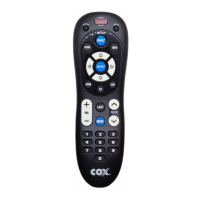
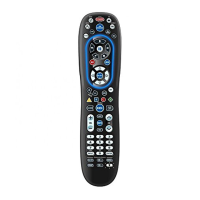
For Additional Support and Model-Based Code Search go to: remotes.cox.com
Contents [ hide
1 Remote Setup for Television Using Device Code Entry
2 Installing Batteries
3 Programming Cable Receiver
4 Quick-Start Remote Setup for Popular Brands
5 Popular Brands by Device
6 Remote Setup Using Device Code Entry
7 Remote Setup by Searching for Your Code
8 Setting Volume Control to Audio Device
9 Using All-On Power Feature
10 Activate Back Lighting Feature
11 Trouble Shooting
12 Related Manuals:
Remote Setup for Television Using Device Code Entry
1. Turn on the TV you wish to program.
2. Press and release the TV key.
3. Find your TV brand from the list on the right.
4. NOTE: If the brand for your TV is not listed please proceed to Searching for Your Code.
5. Press and HOLD MUTE + SELECT simultaneously until the TV key blinks twice then release both
keys.
6. Enter in the first 4 digit code listed for your brand.
7. Press the POWER key to test TV control. If the TV turns off, you have found the correct code and
it was saved automatically.
8. If the TV does not turn off, repeat steps 2 through 7 trying each code listed for your brand until
you find the correct code. If none of the codes work for your brand try the Searching for Your
Code method on the back of this sheet.
Installing Batteries
1. Remove battery cover.



 To Next Page