17
RE-ASSIGNING DEVICE KEYS
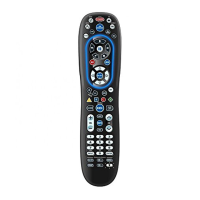
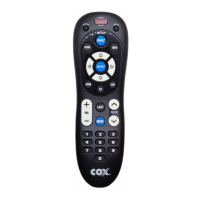
The Cox Universal Remote Control can be set up to
control a VCR or second TV, or any combination of up to
four home entertainment devices. For example, to have
the unit control a TV, a Cable Converter, a DVD player
and a VCR, you will need to re-assign the unused AUX
key to operate the VCR as follows:
1. On the remote control, press AUX once.
Then press and hold SETUP until the AUX key
blinks twice, then release SETUP.
2. Enter 9 - 9 - 2. The AUX key will blink twice.
3. Press DVD once, then press AUX. The AUX key
will blink twice.
4. The AUX key is now ready to be programmed
for your VCR. See Programming Device
Control on page 9.
To re-assign other device keys, repeat steps 1–4, but
substitute the key sequence using the following chart:
To Re-Assign Perform Key Sequence
TV as 2nd DVD key SETUP - 9 - 9 - 2 - DVD - TV
TV as 2nd
Auxiliary key
SETUP - 9 - 9 - 2 - AUX - TV
TV as 2nd Cable key SETUP - 9 - 9 - 2 - CABLE - TV
TV back to TV SETUP - 9 - 9 - 2 - TV - TV
DVD as 2nd TV key SETUP - 9 - 9 - 2 - TV - DVD
DVD as 2nd
Auxiliary key
SETUP - 9 - 9 - 2 - AUX - DVD
DVD as 2nd Cable key SETUP - 9 - 9 - 2 - CABLE - DVD
DVD back to DVD SETUP - 9 - 9 - 2 - DVD - DVD
AUX as 2nd TV key SETUP - 9 - 9 - 2 - TV - AUX
AUX as 2nd VCR key SETUP - 9 - 9 - 2 - DVD - AUX
AUX
as 2nd Cable key
SETUP - 9 - 9 - 2 - CABLE - AUX
AUX
back to
AUX SETUP - 9 - 9 - 2 - AUX - AUX
Upon completion of a re-assignment, the selected mode
key will blink twice to confirm your selection. You will
then need to program device control (see Programming
Device Control on page 9).



 To Next Page