9
PROGRAMMING DEVICE CONTROL
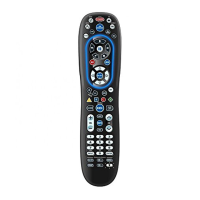
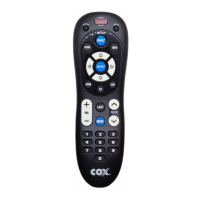
The Cox Universal Remote Control is preprogrammed to
operate your cable converter, an RCA TV, a SONY DVD,
and a Pioneer audio receiver. To control devices other
than the default brands, perform the following steps;
otherwise skip this section:
NOTES: To control a VCR player, or a PVR, program the DVD key.
To control a stereo amplifier or receiver, program the AUX key. For
TV/VCR Combo control, skip this section and perform the
instructions on the next page.
If you have another brand of cable converter and interactive
service you would like to control, you’ll first need to unlock
the cable ID Lock before changing the converter code—see
Programming ID Lock on page 14.
1. Turn on a device and, if applicable, insert
video media (e.g., cassette or disc).
NOTE: Please read steps 2–4 completely before
proceeding. Highlight or write down the codes
and device you wish to program before moving
on to step 2.
2. On the remote control, press a device key once
(e.g., AUX, DVD, TV, or CABLE). Press and hold
SETUP until the selected mode key blinks
twice, then release SETUP.
3. Use the Manufacturer’s Codes (starting on
page 40) to locate the the type of device and
brand name, then enter the first four-digit
code for your device. If performed correctly,
the selected mode key will blink twice.
DEVICE KEY:
CABLE
TV
DVD
AUX
CONTROLS THESE TYPES
OF DEVICES:
CABLE CONVERTERS,
CABLE/PVR COMBO
TELEVISIONS
DVD, VCR, PVR,
TV/VCR COMBO,
TV/DVD COMBO,
TV/VCR/DVD COMBO,
DVD/PVR COMBO
AUDIO AMPLIFIER,
AUDIO TUNER, VCR



 To Next Page