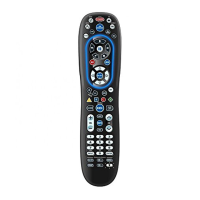
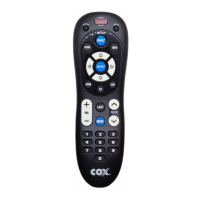
KEY CHARTS
Use SETUP for all programming
sequences.
Press POWER once to turn on or
off a home entertainment device.
Press and hold MASTER POWER for
3 seconds to turn on or off all
home entertainment devices (see
Using Master Power on page 16).
Press AUX, DVD, TV, or CABLE once
to select a home entertainment
device to control. Each key has an
embedded LED (red light) that
blinks upon selection and indi-
cates that the remote control is
working and is sending signals.
In the DVD and TV modes, use REW,
PLAY, FFWD, STOP, and PAUSE to con-
trol your VCR, DVD player, or PVR.
To record a program in the DVD or
AUX mode, press RECORD twice.
In the CABLE mode:
REW: Rewinds in 3 speeds.
PLAY: Plays a recorded program.
(Press once while watching live TV
or a recorded program for slow
motion).
FFWD: Fast forwards in 3 speeds.
STOP: Stops recording a program.
PAUSE: Pauses the program or
recording you are watching.
RECORD: Records a program.
Use these keys (except RECORD) to
control VOD (Video On Demand).
Press to replay the last
8 seconds of a program or record
ing (Instant Replay).
Press ON DEMAND once to access
Cox Communications
On DEMAND Menu
.
Press DVR LIST once to display a
list of the recorded shows on your
PVR.
5



 To Next Page