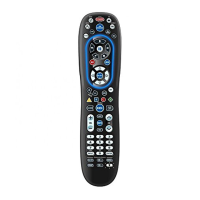
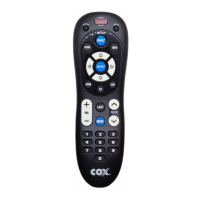
Press LIVE to return to watching
live TV.
Use INFO to display the current
channel and program information.
Use PAGE+ to page up through
menu screens and program guide.
Press HD ZOOM to change the
aspect ratio on your Scientific
Atlanta or Motorola HD receiver.
(Not available on all receivers.)
Use the Cursor keys to move the
cursor in the program guide and
menu screens, and to navigate
within the interactive service.
Use SELECT to choose options and
PPV events, and to tune programs
from the program guide.
Use GUIDE to display the program
guide.
Use PAGE- to page down through
menu screens and program guide.
Use EXIT to exit your cable
converter’s menu and guide.
Use A, B, or C to access additional
cable features (see your cable
converter’s manual).
Use SETTINGS to access additional
cable features (see your cable
converter’s manual).
Press MENU once to display the
available interactive services.
Use VOL+ (or VOL–) to raise (or
lower) the sound volume.
Press LAST once to recall the
last channel.
Use FAV to cycle through your
favorite channels stored in your
cable converter.
6



 To Next Page