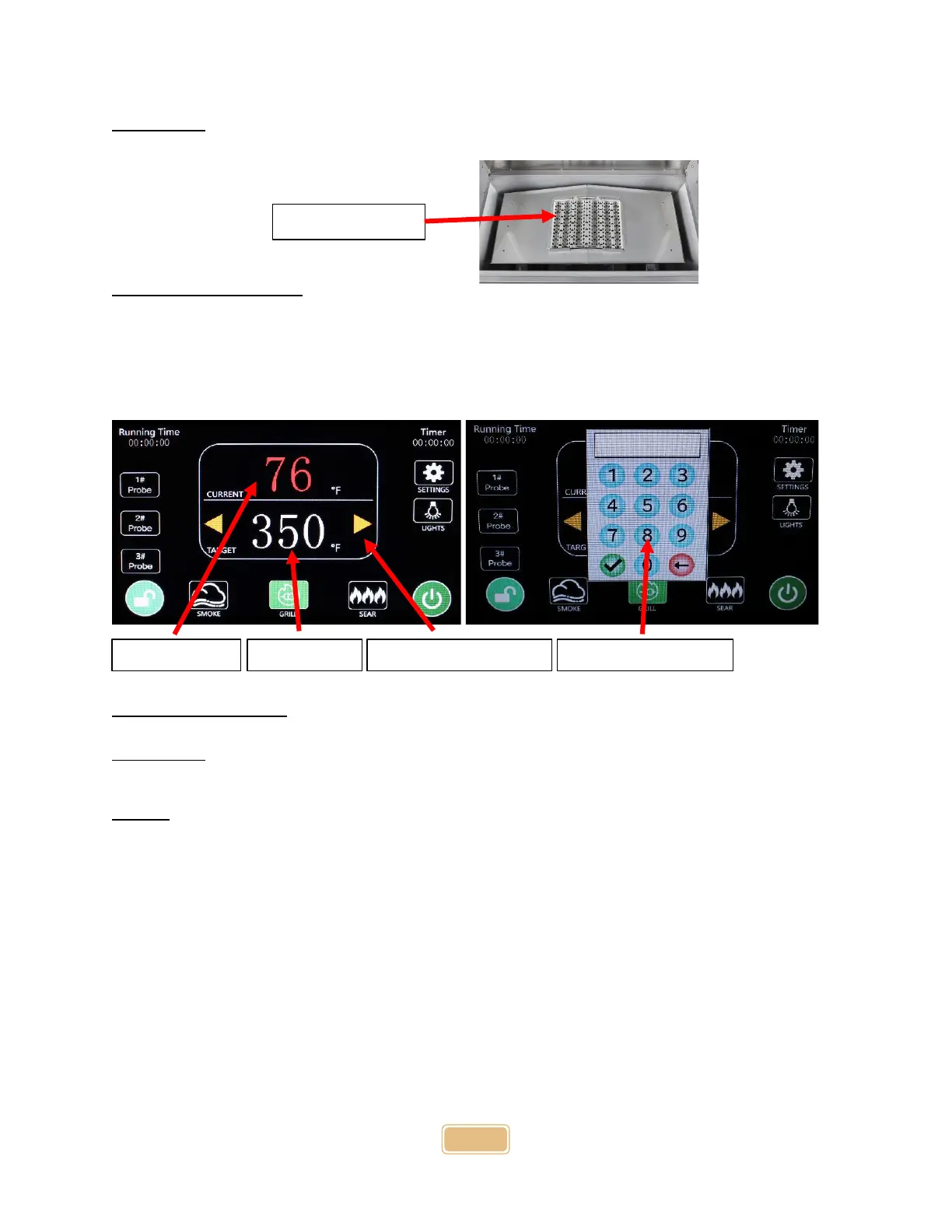
IMPORTANT: Only use the sear grate while the grill is in sear mode. Using the sear grate in smoke or
grill mode will cause the grill to overheat.
Setting the Temperature
To set the grill cooking temperature, press the target area of the display, and the temperature keypad
will appear. Enter the desired target temperature and press the green check button.
You can also press the yellow arrows in the target area to make minor adjustments to the temperature.
(Note: Smoke mode is 300 degrees and below, and Grill mode is 301 degrees and above.)
Startup and Shutdown
IMPORTANT: Before operating the grill in any capacity, ensure the burner pot is clear of any ash build-
up or unburned pellets. Make sure the firebox is clean of any ash build-up or grease.
Startup
To start up your grill.
1. First, select and fill the pellet hopper with your preferred all-natural wood cooking pellets.
(see “Storing and Loading Pellets”)
2. Press the power button on the left side of the control panel to turn the grill on. The screen
will light up, and the Coyote Logo will appear.
3. The grill will go into Startup mode. The display is locked by default. To unlock the display,
press the red lock button for 3 seconds.
4. Once in Startup mode, you can set the target temperature to the ideal setting for the food
you are cooking.
5. Once your target temperature is set, press the green start icon at the bottom right of the
display to fire up the grill. A flame icon will appear, and the igniter will stay on for 5 minutes
by default. (The ignition time can be adjusted in the settings menu.)
6. Once the grill is ignited, the flame logo will change into a red stop icon.


 To Next Page