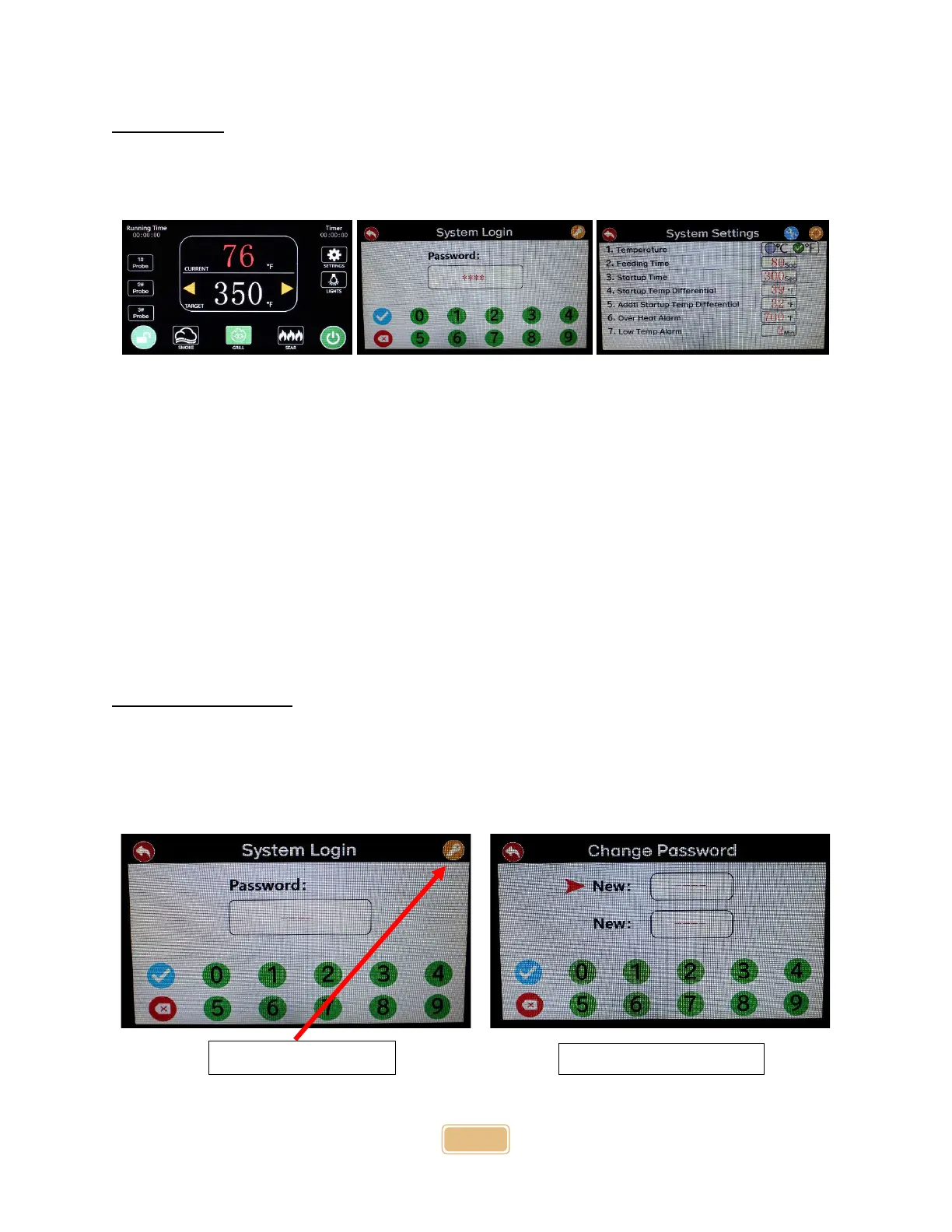
Settings Menu
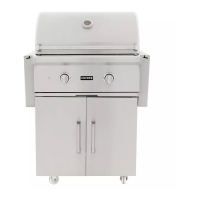
There is a setting button on the right side of your grill display. To access the settings menu, you must
enter a system password. The default password is 1234.
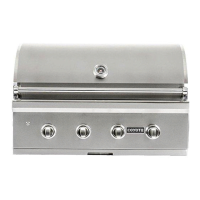
Once the menu is unlocked, several grill settings that can be adjusted.
1. Temperature - Toggle between C and F, with F being the default.
2. Feeding Time – Pellets will feed for 80 seconds during the startup by default.
3. Startup Time - After starting, the igniter will continue heating for 300 seconds.
4. Startup Temp Differential - After starting and the temperature reaches >40F, and the
startup succeeds; if it is under <40F after 18 minutes, a "Temperature Warning" screen will
pop up.
5. Addtl. Startup Temp Differential - If the temperature drops 32F while the grill is running,
the igniter will turn on to prevent fire from going out.
6. Overheat Alarm - Max heat for the 36" grill model is 700F and 650F for the 28" grill model. If
the grill reaches 750F, there will be an alarm.
7. Low Temp Alarm -When the temperature drops 50F, a temperature warning screen will pop
up. The grill will go into shutdown mode if the continue button is not pressed in 22 minutes.
Changing the Password
If necessary, you can change the system password. A yellow key icon is at the password screen's top
right corner. Enter the default 4-digit password and press the key icon. The change password keypad will
appear. You will be able to change your password to any 4-digit number. (If you change the password,
make sure you write it down.)


 To Next Page