Table Parallelism
For the best cutting results, the in-feed
and out-feed tables of the jointer must be
paralleled to the cutter-head and to each
other.
The tables of your jointer are adjusted in
he factory. Since table parallelism
ble so that it hangs over the
utter head. Turn the eccentric bushings
just touches the cutter head.
ighten the loosen screws. See figure
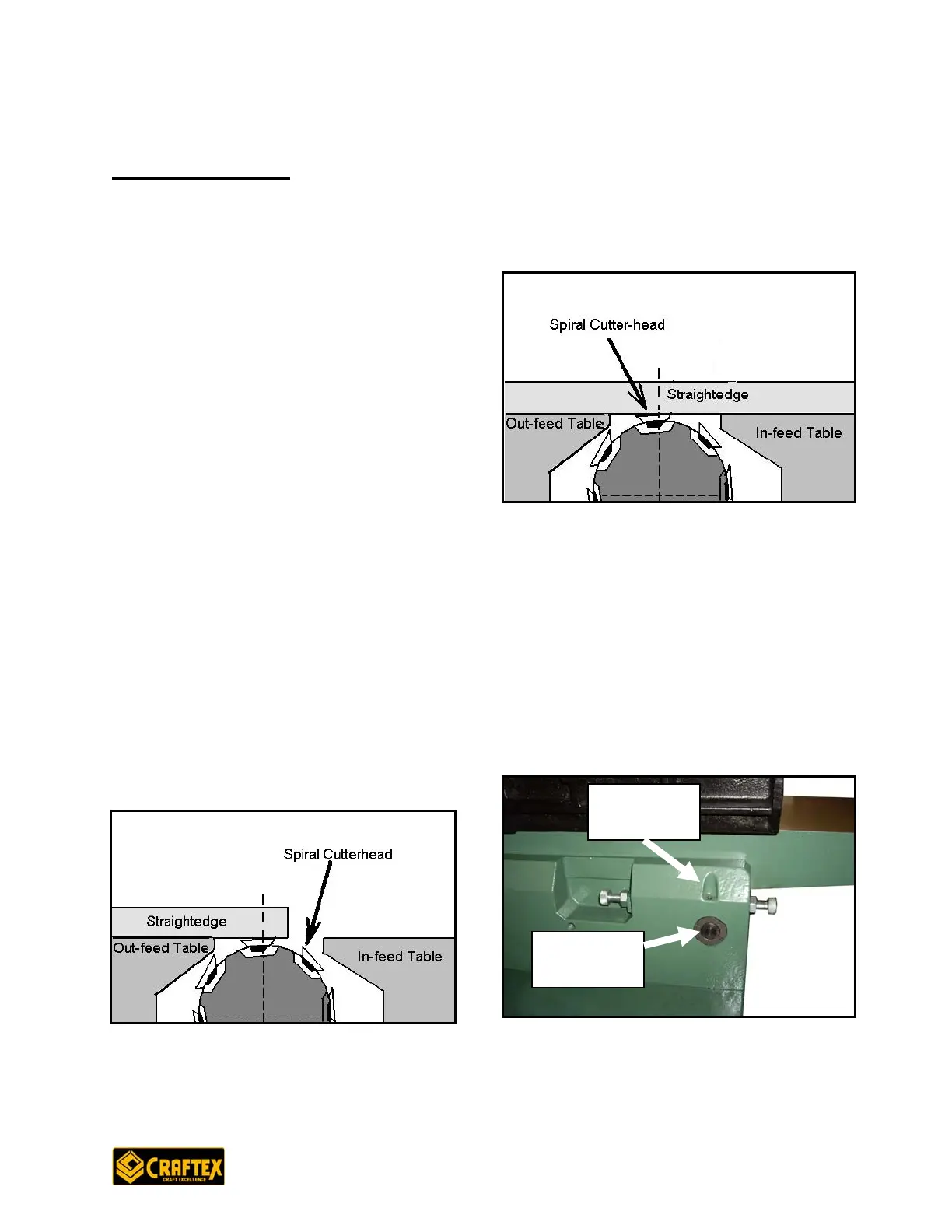
Figure 19: In-feed & out-feed table
hose set
crews. Now make in-feed table parallel
igure16: Eccentric bushings and set-
Now, place the straightedge halfway
across the in-feed table and halfway over
the out-feed table to adjust the in-feed
table with the out-feed table.
t
adjustment is a complex task so it is
recommended to make sure if your table
really needs to be adjusted before you
start adjusting.
To check the table parallelism,
disconnect the power to the jointer and
remove the cutter head guard. Now,
loosen the out-feed table lock, jam nuts
and positive stop bolts (at the back of the
jointer). Remove screws in the 4
eccentric bushings located under the out-
feed table and loosen the set-screws.
Take a straight edge and place it on the
ut feed tao
c
and lower the out-feed table until the
straight edge sits flat on the out-feed
table and
T
18.
Figure 18: Adjusting out-feed table with
he cutter-head t
parallelism
Remove the screws in the 4 eccentric
bushings under the in-feed table and
loosen the screws underneath t
s
to the out-feed table by turning the
eccentric bushings under the in-feed
table. Once both tables are parallel,
tighten the set screws.
F
screws location
OPERATIONS AND ADJUSTMENTS
Eccentric
Bushing
Eccentric
Bushing
18


 To Next Page