Can, Cold Food, and Frozen Food Module Setup and Operator’s Guide
4840053 Page 1 February, 2000
Cold Can Unit
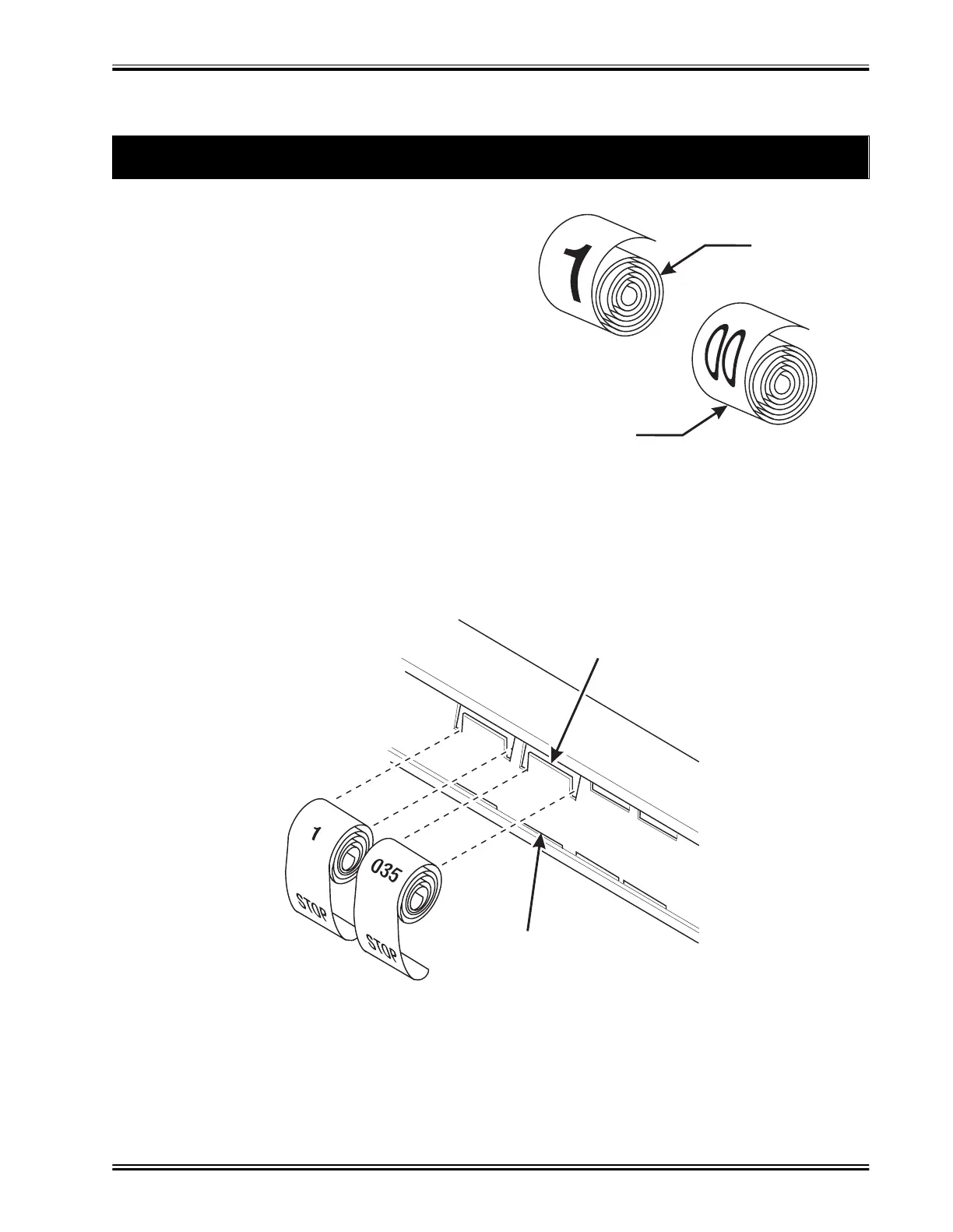
• There are three pairs of slots in the front of the can unit for each position. Install per this example:
1. Insert the dollar roll in the left-most pair of slots as shown if the price is $1.00 or more.
2. Insert the cents roll in the center pair of slots as shown.
3. The low-number end of the roll goes in the top slot and the high-number end of the roll goes in
the bottom slot.
1. Install Price Labels for Cold Can Selections
CENTS ROLL
DOLLAR ROLL
157P0043
•Pr
ce ro
s are pr
nte
on co
e
-up str
ps as s
own
in this example. (The dollar and cents rolls are
factory installed.) If you use another type of cur-
rency, you will find the appropriate price rolls in
the plastic bag that contained this manual.
• There are two types of price rolls installed:
Dollar roll - 1 to 12, increments of 1
Cents roll - 00 to 95, increments of 05
• Remove the price rolls as required, and install the
appropriate one(s) for your currency.
PRESS TOP OF ROLL
PAST FLEXIBLE TAB
NEAR TOP EDGE
INSERT BOTTOM OF ROLL
THROUGH SLOT ALONG
BOTTOM EDGE
157P0044


 To Next Page