Can, Cold Food, and Frozen Food Module Setup and Operator’s Guide
February, 2000 Page 2 4840053
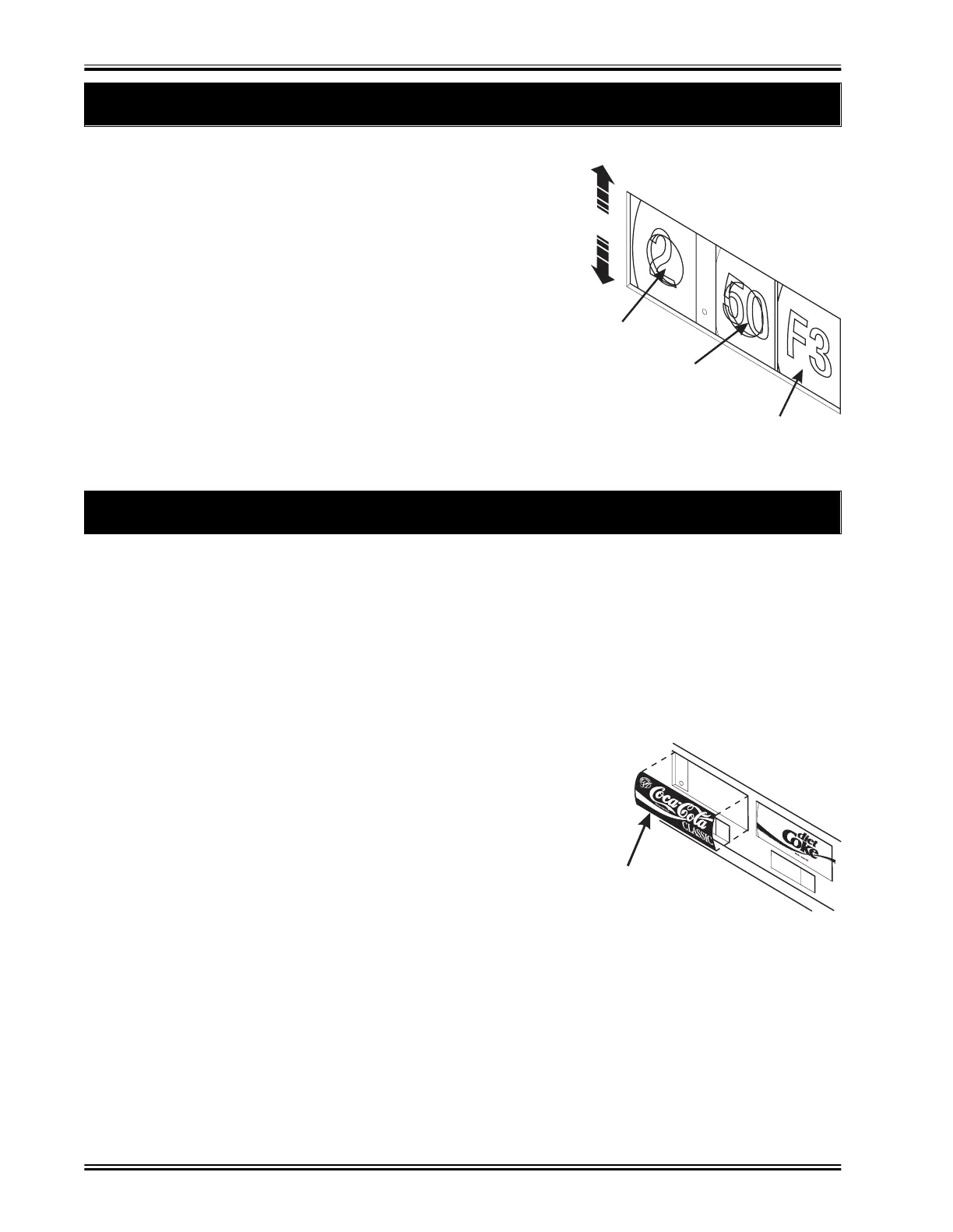
2. Adjust the Price Rolls for Cold Can Selections
3. Install Product ID Labels for Cold Can Selections
T
ere are two pr
ce
a
e
ro
s
or eac
se
ect
on.
• The roll on the left is for dollars, and it goes from $0 to
$12.
• The roll on the right is for cents, and it goes from .00 to
.95 in steps of .05.
1. Scroll downward to decrease the price.
2. Scroll upward to increase the price.
WARNING
The rolls are easier to scroll
if you use the eraser end of a
pencil.
CENTS
PRICE ROLL
INCREASE
PRICE
DECREASE
PRICE
DOLLAR
PRICE ROLL
SELECTION
IDENTIFICATION
157P0055
PRODUCT
IDENTIFICATION
LABEL
157P0054
Pro
uct ID
a
e
s
avor str
ps
are
n t
e p
ast
c
ag t
at conta
ne
t
s
oo
. T
ey are
e
n p
ace
above the price labels for each selection. To install a new ID label, proceed as follows:
1. Flex the label as shown and place it into position.
2. Release the label, and allow the label frame to hold it in place.
3. Pop the label out of place with a pencil or your fingernail.
If you need a specific product ID label that was not included in the plastic bag
containing this manual, contact:
SCREEN ART
1801 Mid Park Drive
Knoxville, TN 37921
Phone: 1-800-251-9031
In Tennesee: 1-800-332-9924
Refer to style SA13 (1.75 x 4.62)


 To Next Page