Mp3/ sound card playback and recording
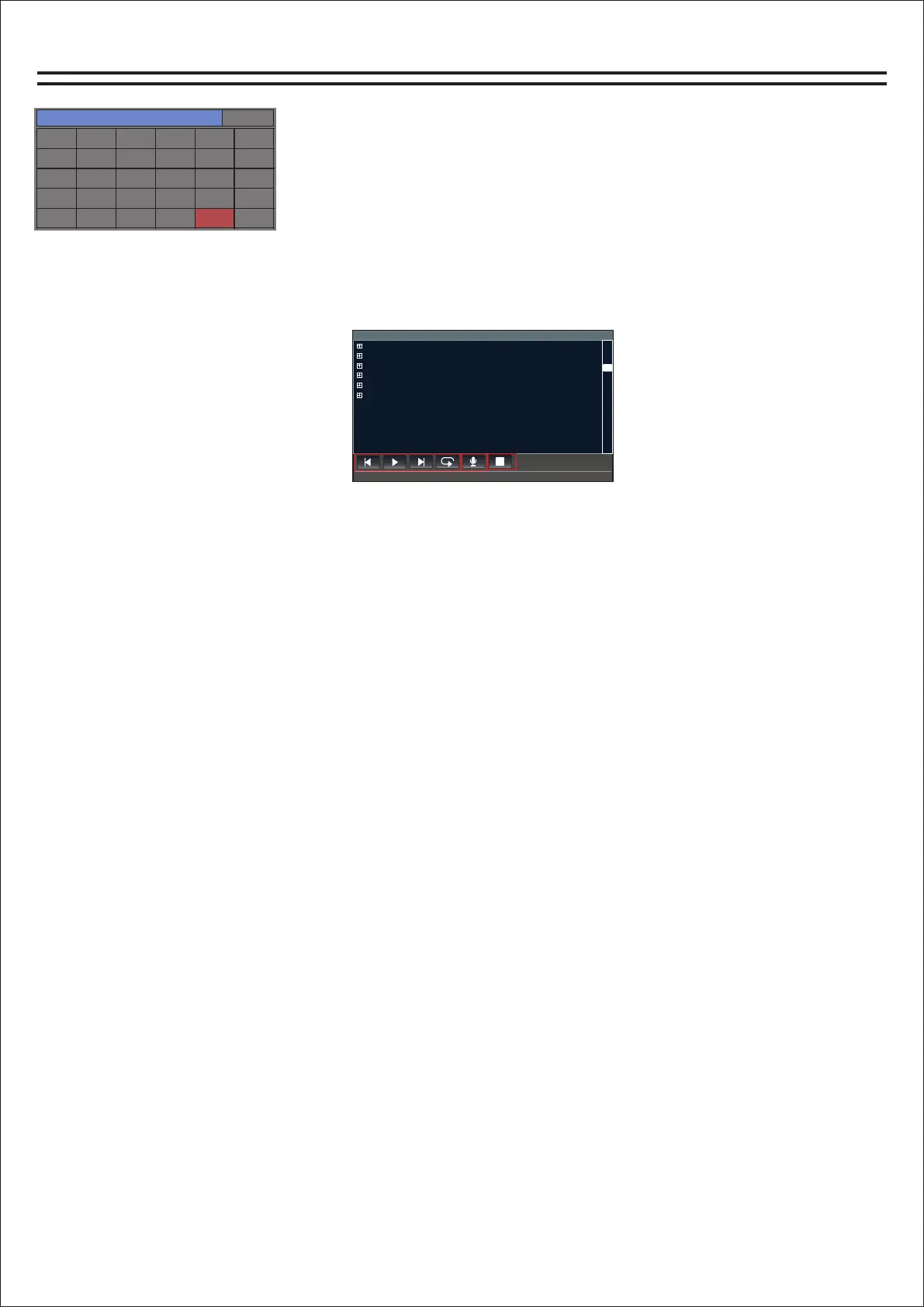
Play page
U盘
歌曲名字00.012132
文件1.4441131
文件2.454564564
文件3.46274646
文件4.79134
文件5.248643
文件6.15687621634 8
00:00/00:00
2
3
4
Learn about MP3 pages:
1. The directory area can be swiped up and down to turn pages.
2. This area is Last, Pause/Play, Next, Random/Single Loop/Sequence.
3, start recording and pause recording, recording will automatically appear the name of the recording
file.
4, stop (can stop playing or recording stop).
Note: MP3 and sound card playback options need to be switched in the digital channel
When recording, please set up the recording device in the main output page. If you need MP3 recording,
select MP3, and select USB for the sound card to record the signal
Is the main output signal, so the recording must ensure that the main output signal output is normal,
otherwise it will not record the sound
通道选择
系统设置
输入1
输入7
输入13
效果2
输出5
输入2
输入8
输入14
反馈
输出6
输入3
输入9
输入15
输出1
输出7
输入4
输入10
输入16
输出2
输出8
输入5
输入11
数字
输出3
MP3
输入6
输入12
效果1
输出4
模式
Channel selection page
How do I get to the MP3 page?
1. Find the Home button on the panel and click to open it. The
channel selection page will appear.
2. Find the "MP3" button and click into the MP3 page.
14


 To Next Page