
 Need help?
Do you have a question about the CRCBOX EX-16-8 and is the answer not in the manual?
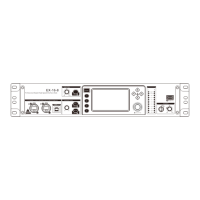
Details A2B, LINK, and USB 2.0 interfaces for connectivity and expansion.
Covers volume knobs, PFL/MUTE keys, gain control, and phantom power switches.
Explains the touch screen, navigation keys, multi-function knob, and indicators.
Describes the headphone jack and monitoring level control knob.
Details the U-Disk interface for MP3 playback and system upgrades.
Details the power connection and on/off switch.
Covers optical fiber input/output and RS232 central control connection.
Describes SUB1-8 outputs for connecting to amplification systems.
Details XLR and TRS inputs for microphones and audio signal sources.
Displays main input channel controls like volume, noise gate, EQ, and limiter.
Allows adjustment of the noise gate parameters for input channels.
Provides controls for adjusting the EQ settings of input channels.
Enables adjustment of the compressor and limiter settings for input channels.
Manages signal routing and sends from input channels to effects or outputs.
Main interface for digital channel, including EQ, limiter, and dispatch.
Adjusts EQ settings for digital channels, allowing parameter selection.
Configures limiter settings for digital channels, with parameter adjustment.
Overview of effect channel, showing volume, EQ, user parameters, and dispatch.
Displays the status of input channels sent to the current effect.
Allows adjustment of EQ parameters for effect channels.
Manages saving and loading of custom effect parameter settings.
Explains auto-suppression and manual suppression techniques for feedback control.
Main interface for output channels, including limiter, EQ, and dispatcher.
Configures limiter settings for output channels with parameter adjustment.
Adjusts EQ settings for output channels, allowing parameter selection.
Details the interface for playing audio files from USB drives.
Explains how to record audio signals, including setup and notes.
Describes saving and loading user presets directly from the device's internal storage.
Explains how to save and load user presets using a USB flash drive.
Allows modification of the network IP address settings.
Enables changing the device language between Chinese and English.
Details the auto-mixing feature for consistent microphone volume control.
Restores the machine to its original factory settings with one key press.
Provides information about the device model, kernel, and serial number.
Guides on how to update the device software using a USB flash drive.
 General
| Type | Analog Mixer |
|---|---|
| Number of Channels | 16 |
| Aux Sends | 4 |
| Frequency Response | 20Hz - 20kHz |
| Signal-to-Noise Ratio | >90dB |
| EQ | 3-band EQ per channel |

 To Next Page