15
Assemble
1. Identify Aluminum Strips
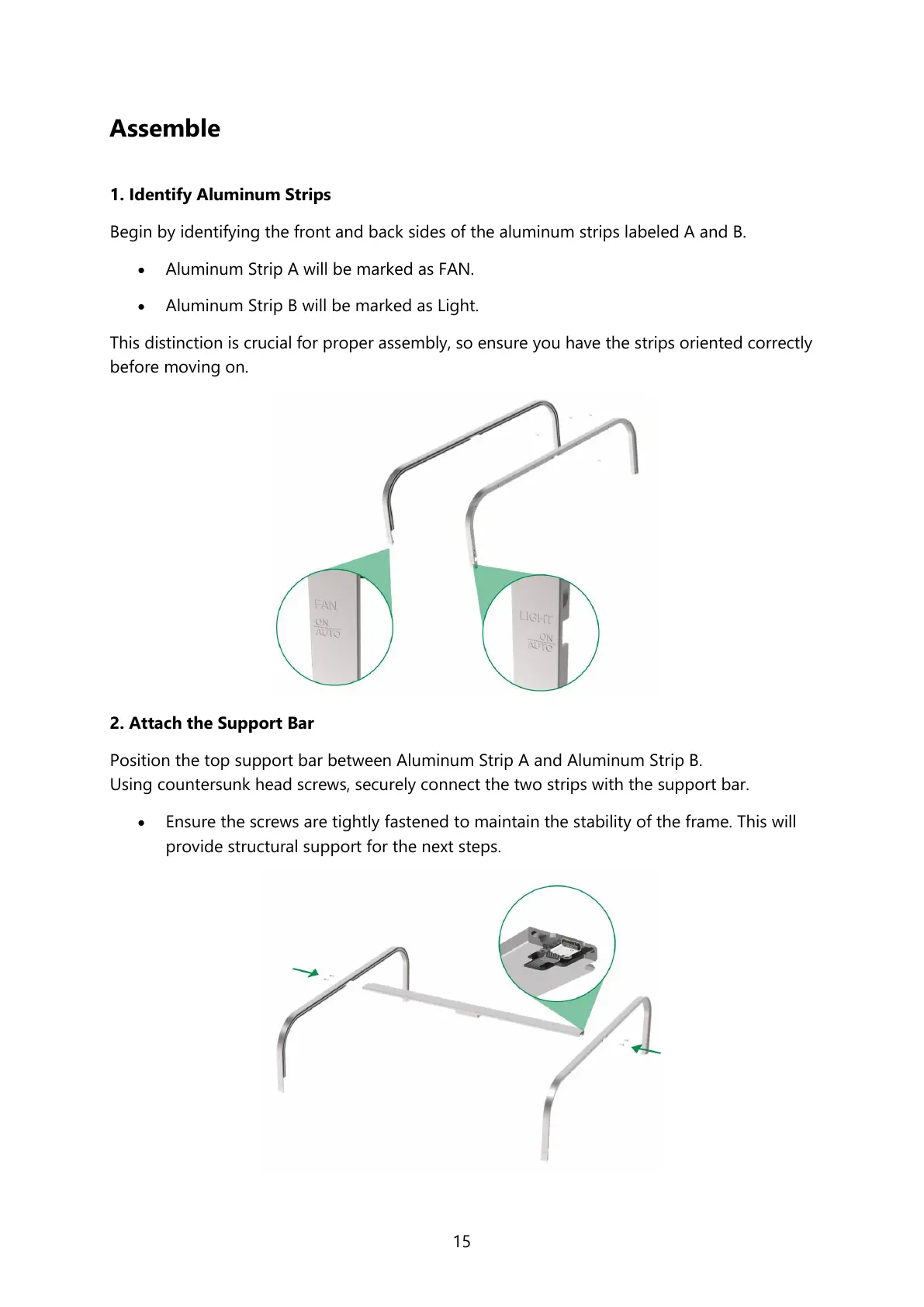
Begin by identifying the front and back sides of the aluminum strips labeled A and B.
• Aluminum Strip A will be marked as FAN.
• Aluminum Strip B will be marked as Light.
This distinction is crucial for proper assembly, so ensure you have the strips oriented correctly
before moving on.
2. Attach the Support Bar
Position the top support bar between Aluminum Strip A and Aluminum Strip B.
Using countersunk head screws, securely connect the two strips with the support bar.
• Ensure the screws are tightly fastened to maintain the stability of the frame. This will
provide structural support for the next steps.



 To Next Page