16
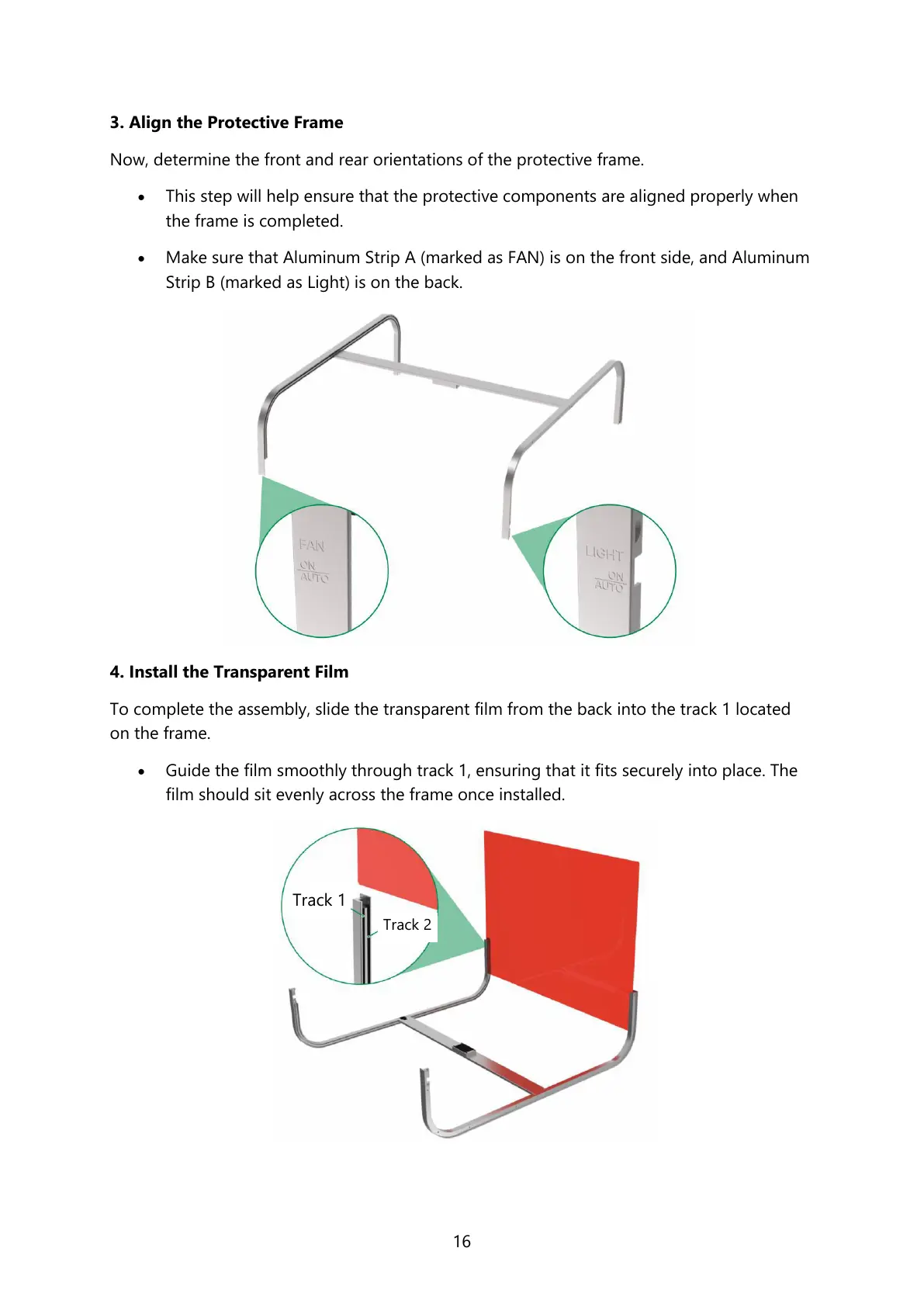
3. Align the Protective Frame
Now, determine the front and rear orientations of the protective frame.
• This step will help ensure that the protective components are aligned properly when
the frame is completed.
• Make sure that Aluminum Strip A (marked as FAN) is on the front side, and Aluminum
Strip B (marked as Light) is on the back.
4. Install the Transparent Film
To complete the assembly, slide the transparent film from the back into the track 1 located
on the frame.
• Guide the film smoothly through track 1, ensuring that it fits securely into place. The
film should sit evenly across the frame once installed.



 To Next Page