17
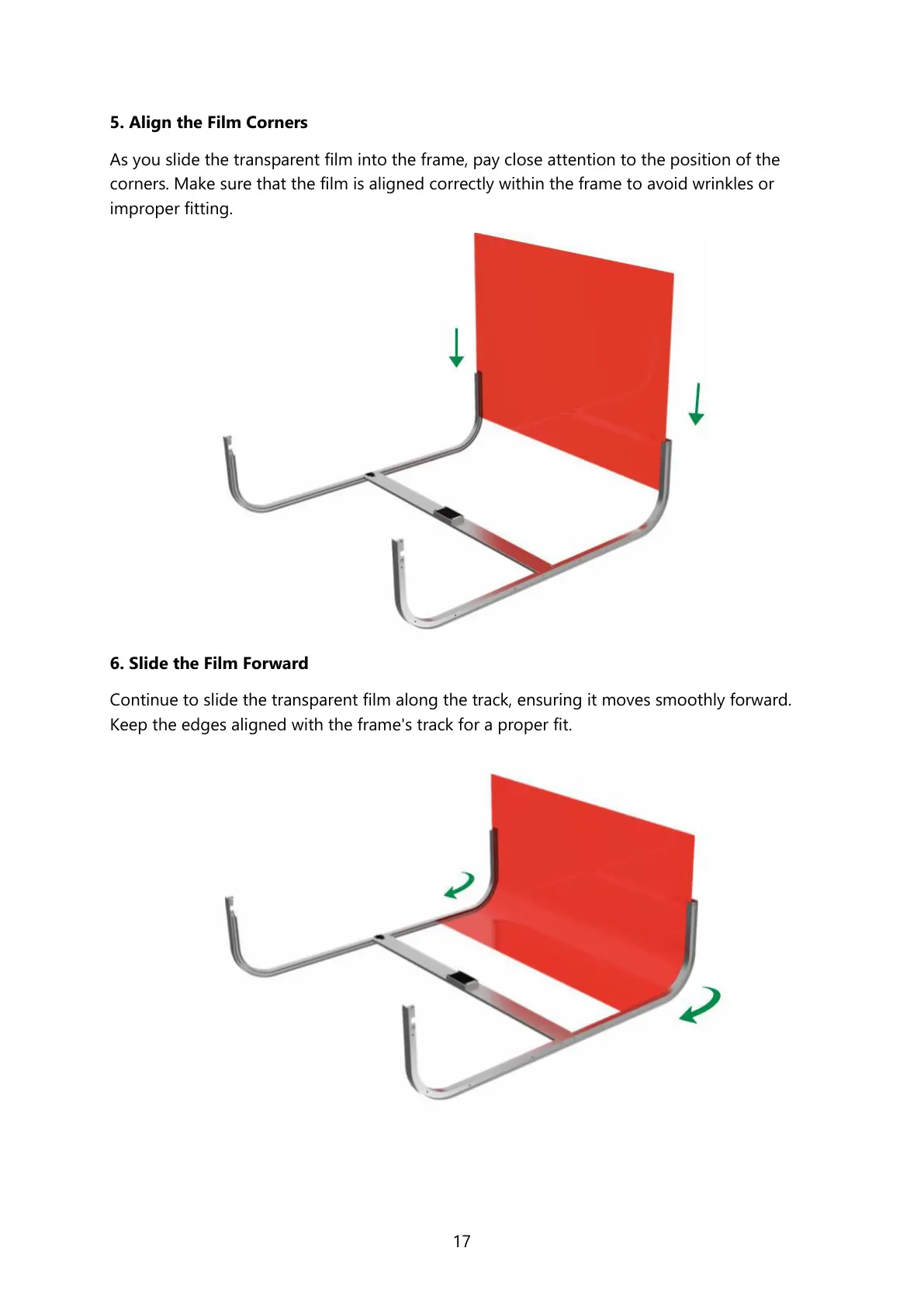
5. Align the Film Corners
As you slide the transparent film into the frame, pay close attention to the position of the
corners. Make sure that the film is aligned correctly within the frame to avoid wrinkles or
improper fitting.
6. Slide the Film Forward
Continue to slide the transparent film along the track, ensuring it moves smoothly forward.
Keep the edges aligned with the frame's track for a proper fit.



 To Next Page