18
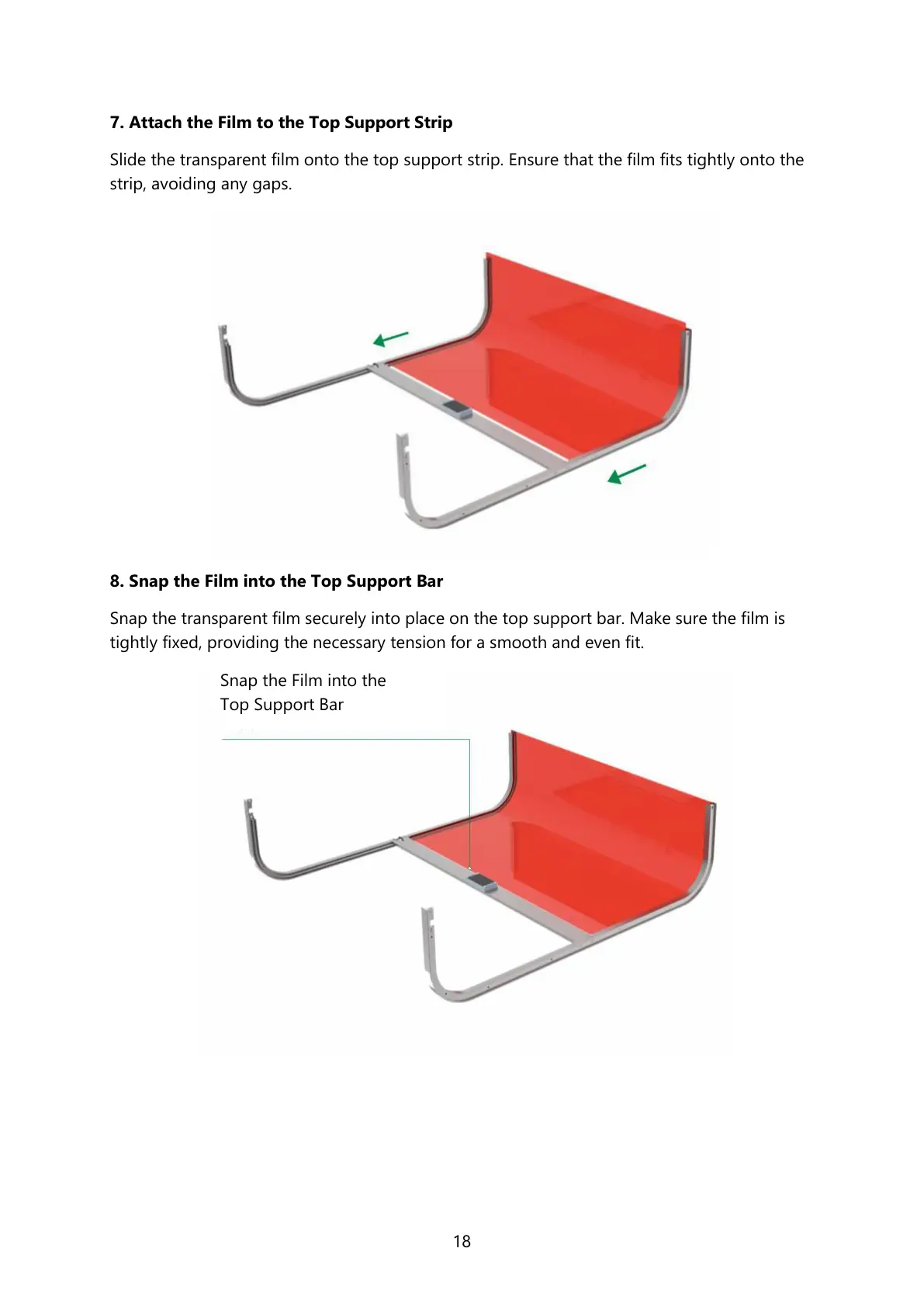
7. Attach the Film to the Top Support Strip
Slide the transparent film onto the top support strip. Ensure that the film fits tightly onto the
strip, avoiding any gaps.
8. Snap the Film into the Top Support Bar
Snap the transparent film securely into place on the top support bar. Make sure the film is
tightly fixed, providing the necessary tension for a smooth and even fit.
Snap the Film into the
Top Support Bar



 To Next Page