19
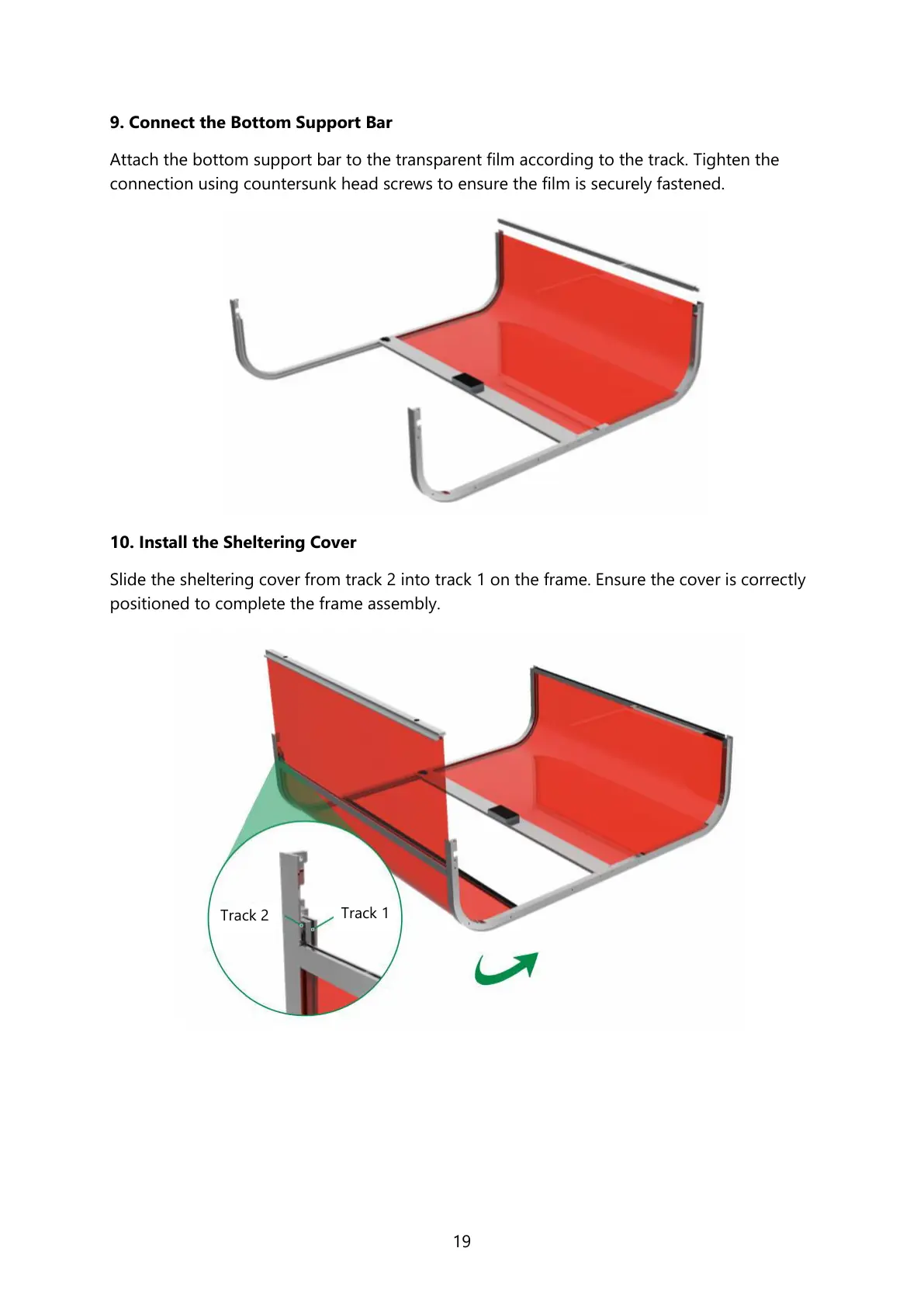
9. Connect the Bottom Support Bar
Attach the bottom support bar to the transparent film according to the track. Tighten the
connection using countersunk head screws to ensure the film is securely fastened.
10. Install the Sheltering Cover
Slide the sheltering cover from track 2 into track 1 on the frame. Ensure the cover is correctly
positioned to complete the frame assembly.



 To Next Page