29
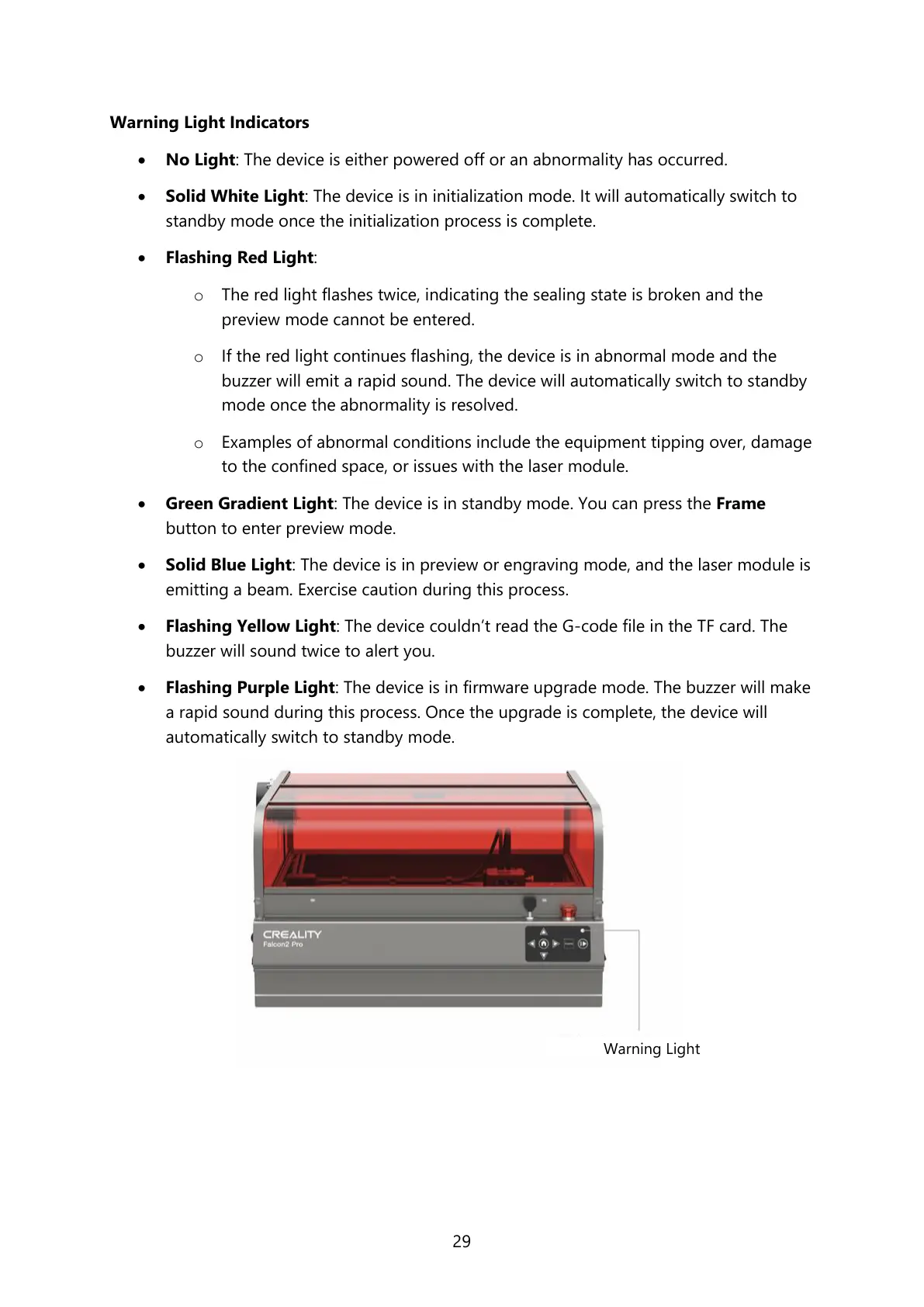
Warning Light Indicators
• No Light: The device is either powered off or an abnormality has occurred.
• Solid White Light: The device is in initialization mode. It will automatically switch to
standby mode once the initialization process is complete.
• Flashing Red Light:
o The red light flashes twice, indicating the sealing state is broken and the
preview mode cannot be entered.
o If the red light continues flashing, the device is in abnormal mode and the
buzzer will emit a rapid sound. The device will automatically switch to standby
mode once the abnormality is resolved.
o Examples of abnormal conditions include the equipment tipping over, damage
to the confined space, or issues with the laser module.
• Green Gradient Light: The device is in standby mode. You can press the Frame
button to enter preview mode.
• Solid Blue Light: The device is in preview or engraving mode, and the laser module is
emitting a beam. Exercise caution during this process.
• Flashing Yellow Light: The device couldn’t read the G-code file in the TF card. The
buzzer will sound twice to alert you.
• Flashing Purple Light: The device is in firmware upgrade mode. The buzzer will make
a rapid sound during this process. Once the upgrade is complete, the device will
automatically switch to standby mode.



 To Next Page