2-2 Installing Software in Windows 95/98
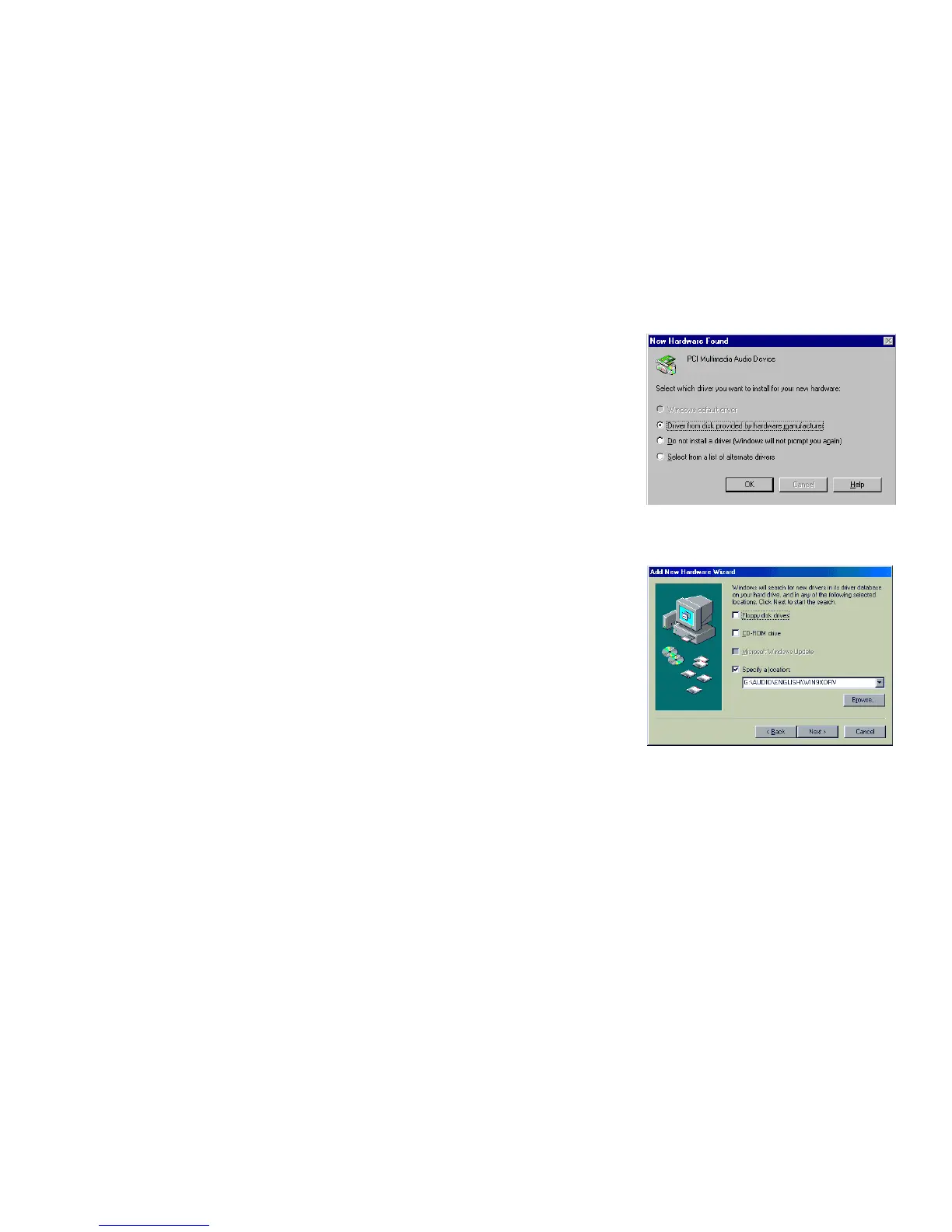
❑ If a dialog box similar to Figure 2-2 appears, click
the Driver from disk provided by hardware
manufacturer option, and then click the OK
button.
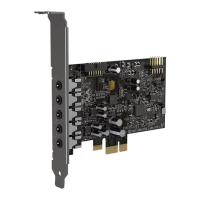
❑ If the Install From Disk dialog box or a dialog box
similar to Figure 2-3 appears:
1. Insert the installation disc into your CD-ROM
drive and select the drive.
2. If there is a Specify a location check box, make
sure it is selected and clear the other check
boxes.
3. Click the Browse button and select the folder
AUDIO\
Language
\WIN9XDRV
where
Language
is the language of the software
that you want to install.
4. Click the OK button.
The required files are copied to your hard disk.
Figure 2-2: Driver installation dialog box
where the Windows default
driver option is not available.


 To Next Page