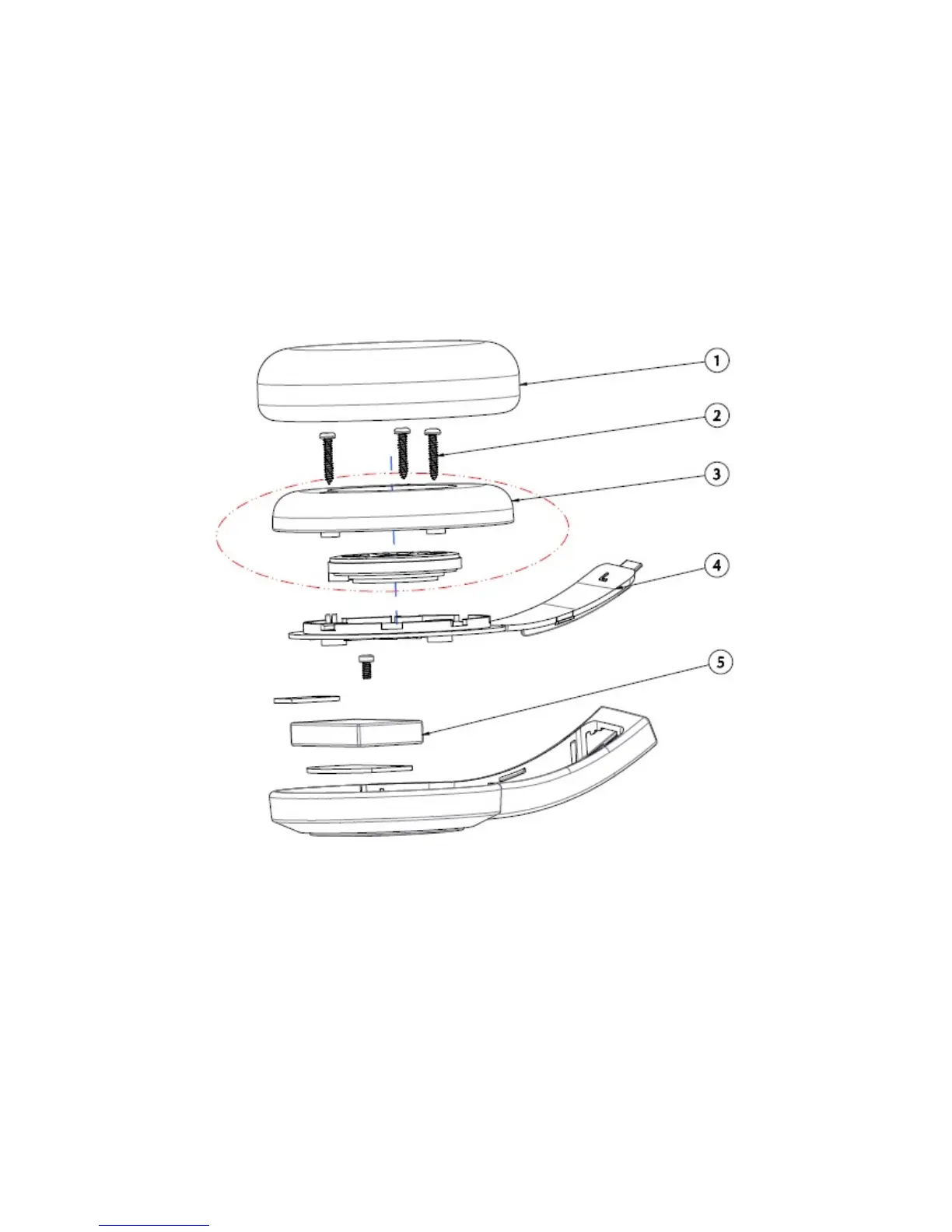
Safe Removal of Built-in Battery
This product contains an integrated battery which should ONLY be removed by service centers or
recycling facilitates with reference to the instructions herein. Creative and its affiliates will not be liable
for any damages resulting from attempting to remove and/or tampering with the battery or any part of
the product by an end user.
CAUTION:
"Make sure the product is disconnected from the charging cable before removing the battery"
"Cover one of the battery terminals with insulation tape to prevent short circuit" - not applicable to
battery with connector
Battery removal instruction:
1. Remove ear pad
2. Unfasten the screws
3. Remove speaker stand
4. Open the bottom housing
5. Remove the battery
Safety Information 38











 To Next Page