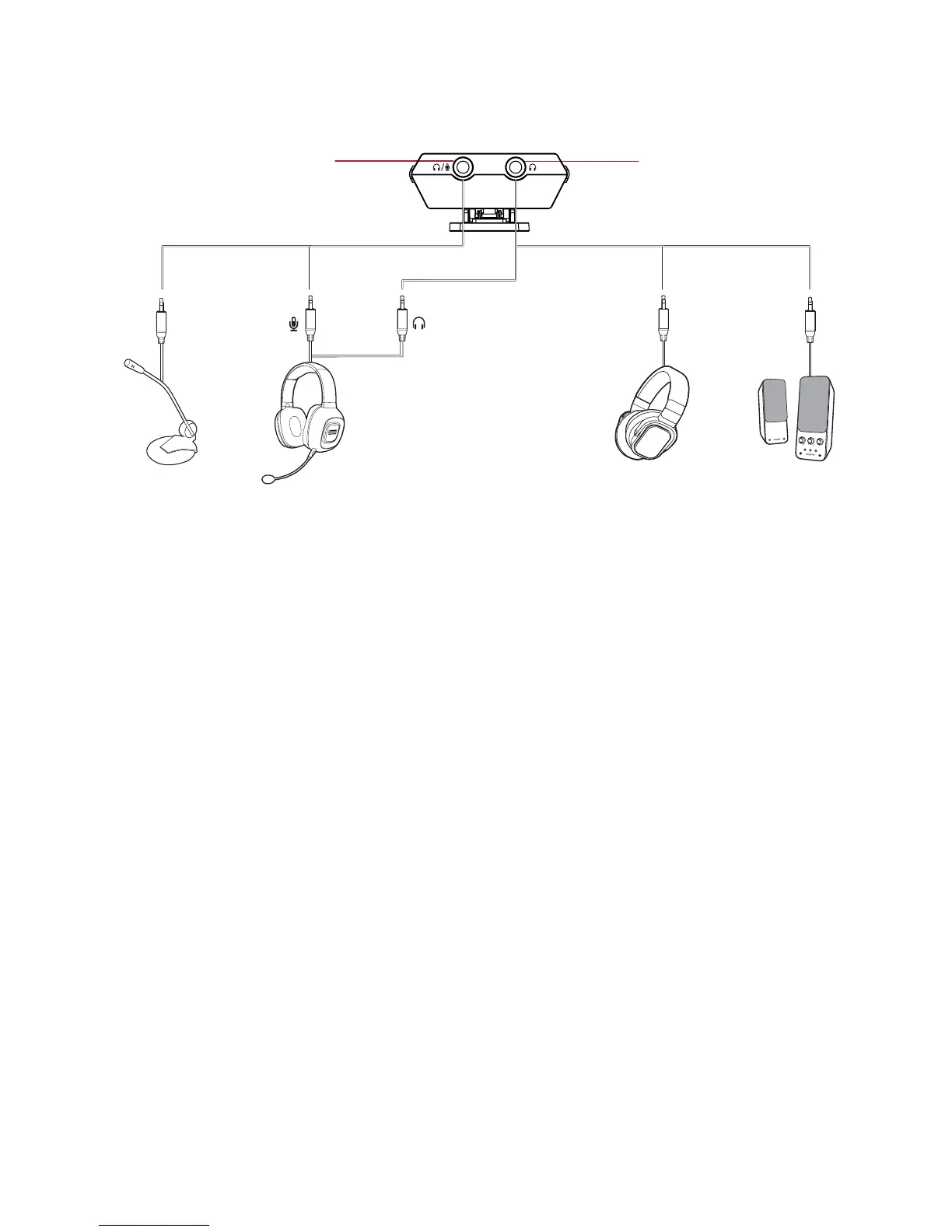
(a) Headphone / Mic In jack*
(b) Headphone / Line Out jack
(c) Microphone
(d) Headset
(e) Headphones
(f) Speakers
Note:
* An external microphone can only be used when the Sound Blaster E3 is connected to a computer via
USB connection. By default, the jack functions as a headphone jack. You can launch the Sound
Blaster E3 Control Panel to configure the jack to function as an external microphone jack. When
Sound Blaster E3 is disconnected from computer, the jack will always function as a headphone jack.
See Using the Creative Software Suite – Advanced Features.
Hold your audio device firmly when plugging / unplugging peripherals such as speakers or
headphones.
The cables shown here are available separately.
For more information, refer to Using Your Audio Device.
Sound Blaster E3 – Setting Up Your Audio Device 11


 To Next Page