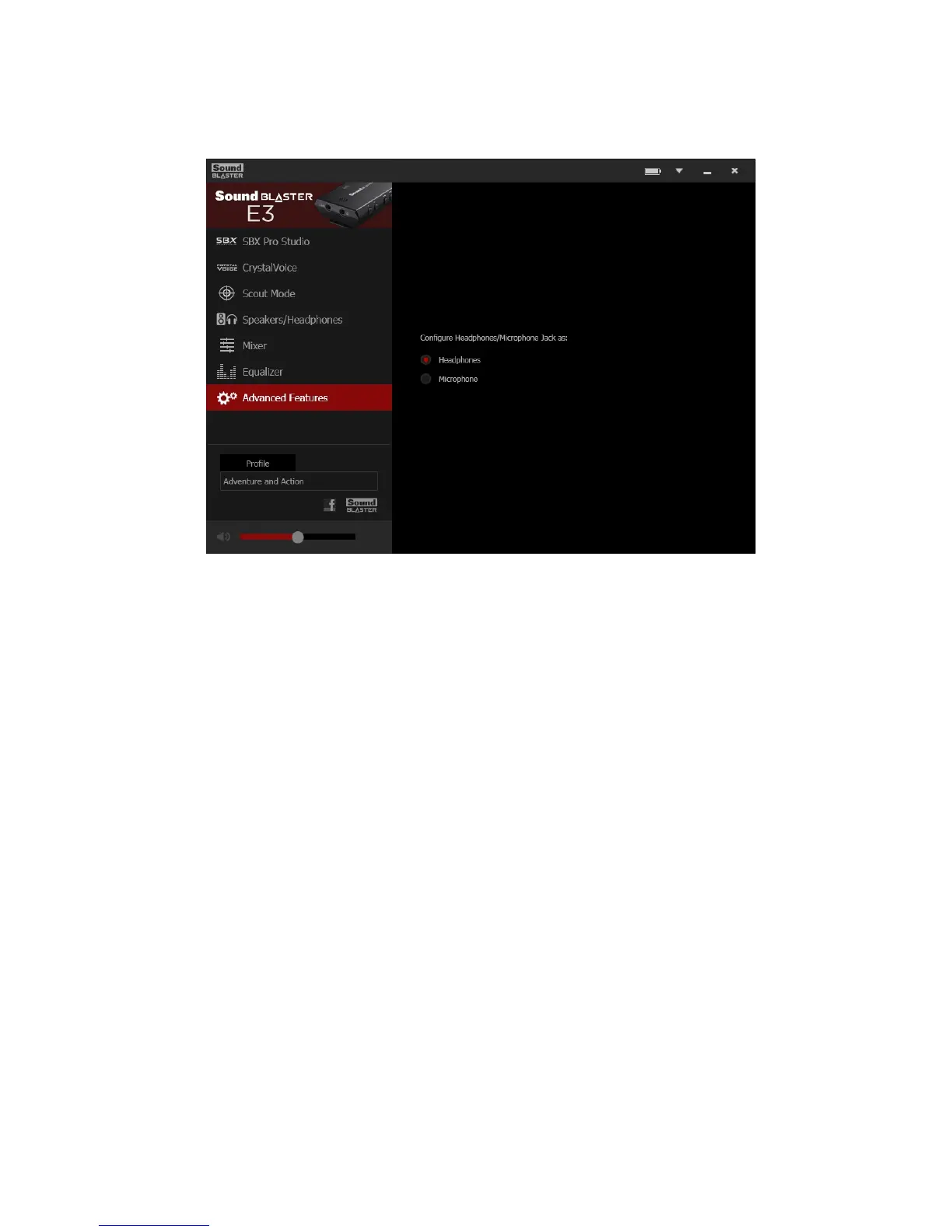
Advanced Features
This software also provides advanced features to configure the Headphone/Mic In jack.
1. Connect your Sound Blaster E3 to your computer installed with the Sound Blaster E-Series Control
Panel.
2. Select the desired configuration to enable it.
Note:
The Headphone/Mic In jack configuration automatically switches to "Headphones" when your device
is disconnected from the computer.
Sound Blaster E-Series Control Panel will remember your settings and automatically switch the
configuration the next time you connect your device.
Sound Blaster E3 – Using the Creative Software Suite 33


 To Next Page