Recording audio with a computer
Easily record audio on your computer with the built-in microphone of the Sound Blaster E3.
Use a voice recording application on your computer to record audio.
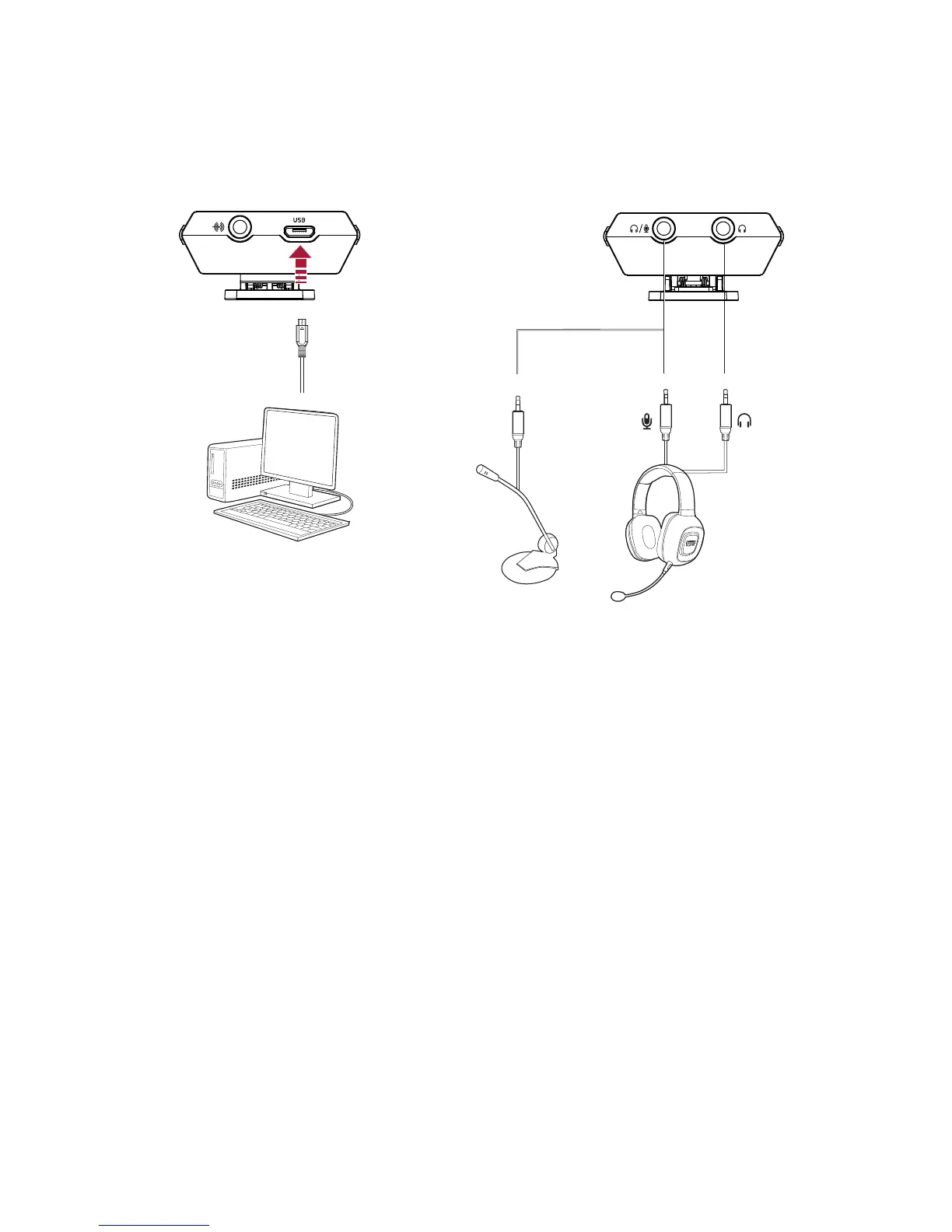
To use an external microphone
1. Connect a microphone to the Mic In jack.
2. Configure the Headphone/Mic In jack.
See Using the Creative Software Suite – Advanced Features.
Note:
If you connect a headset to the Mic In jack using 4-pole analog cable, the microphone function of the
headset will not be supported.
The Headphone/Mic In jack configuration automatically switches to "Headphones" when your device
is disconnected from the computer.
Sound Blaster E-Series Control Panel will remember your settings and automatically switch the
configuration the next time you connect your device.
Sound Blaster E3 – Using Your Audio Device 21


 To Next Page