Step 3: Connecting Peripherals
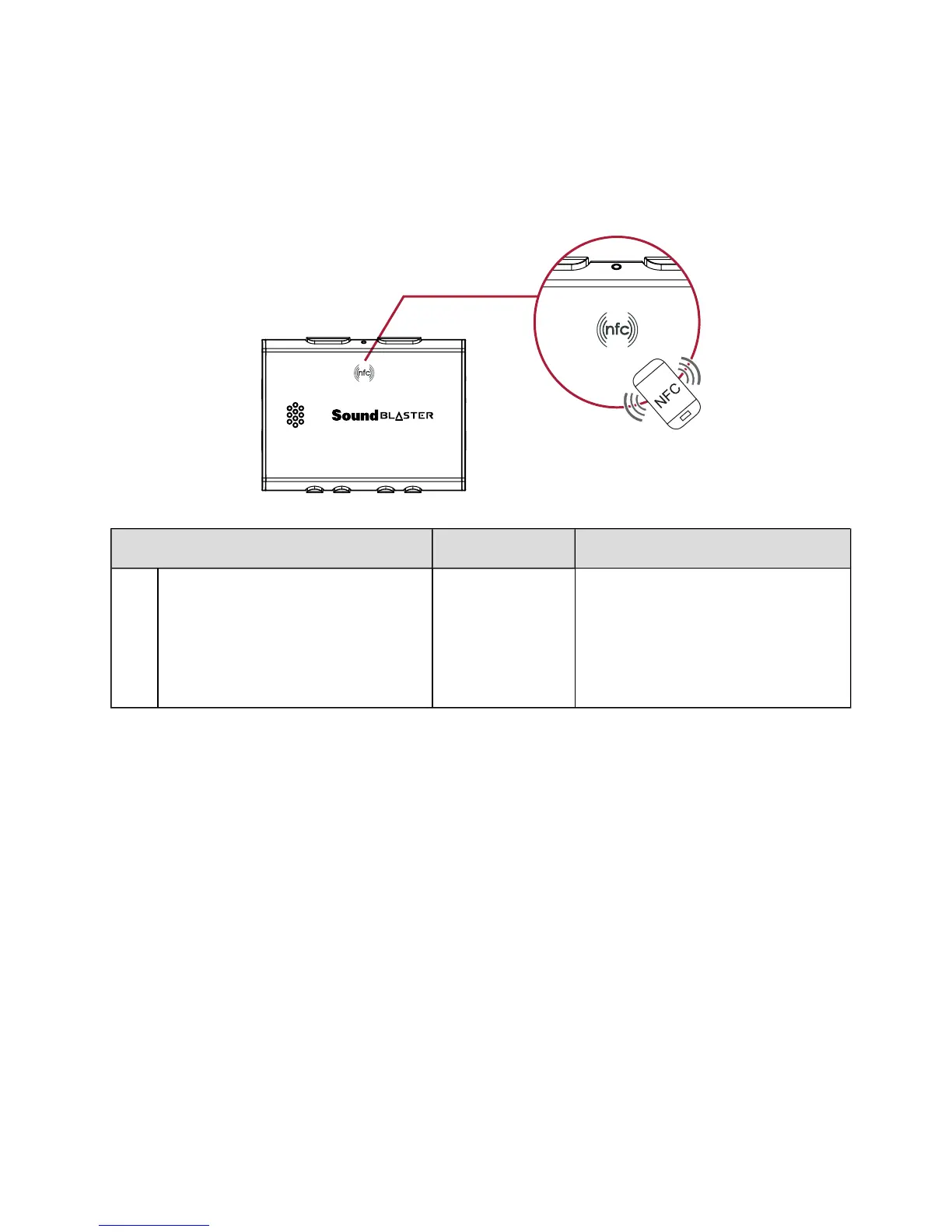
One-touch pairing with NFC
You may pair your NFC-enabled devices with the Sound Blaster E3 with a single tap using NFC
technology. Simply follow these steps to connect them.
Action LED Status Device Status
1 Turn ON the NFC feature on your
device. And touch your device on
the NFC logo on Sound Blaster E3.
If prompted "Are you sure you
want to pair the Bluetooth
device?", tap "Yes".
Blue Device paired automatically.
Ready to stream music.
Note:
Be sure that your phone is NFC-enabled and find out where the NFC sensor is located on your phone.
For more information, refer to the User Guide of your phone.
To disconnect, tap your device with the Sound Blaster E3 again.
Sound Blaster E3 – Setting Up Your Audio Device 6


 To Next Page