EasyManua.ls Logo

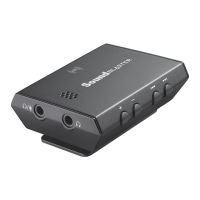
Creative Sound Blaster E3 SB1610 - USB Connection

Creative Sound Blaster E3 SB1610
56 pages
Print Icon
To Next Page IconTo Next Page
To Previous Page IconTo Previous Page
Loading...
USB Connection
Connect your Sound Blaster E3 to a computer using the Micro-USB to USB cable provided.
To connect a mobile device via USB, use the On-The-Go cable* provided.
(c)
(d)
(a)
(e)
(b)
(c)
(f)
(a)
(a) Micro-USB cable
(b) PC/Mac
(c) On-The-Go cable*
(d) USB cable
(not included)
(e) iPad/iPhone**
(f) Android Tablet/Smartphone**
Note:
* On-The-Go cable lets you connect your device to the Sound Blaster E3 using the USB cable that
came with your device.
** Refer to www.creative.com for the list of compatible models.
Connecting the Sound Blaster E3 to a USB hub is not recommended.
Sound Blaster E3 – Setting Up Your Audio Device 8

Table of Contents

Related product manuals